
#Account and password authentication
This guide provides the basic information and operating procedures required to access the Socks5.io Static Datacenter IP service through account and password authentication.
Purchase Static Datacenter IP
From the dashboard, select Static Datacenter IP and open the Buy tab:
- Select IP country as needed. In which country your business is conducted, you will give priority to the IP of that country. *Select the IP quantity according to your needs. The more you purchase at one time, the more favorable the unit price of each IP will be.
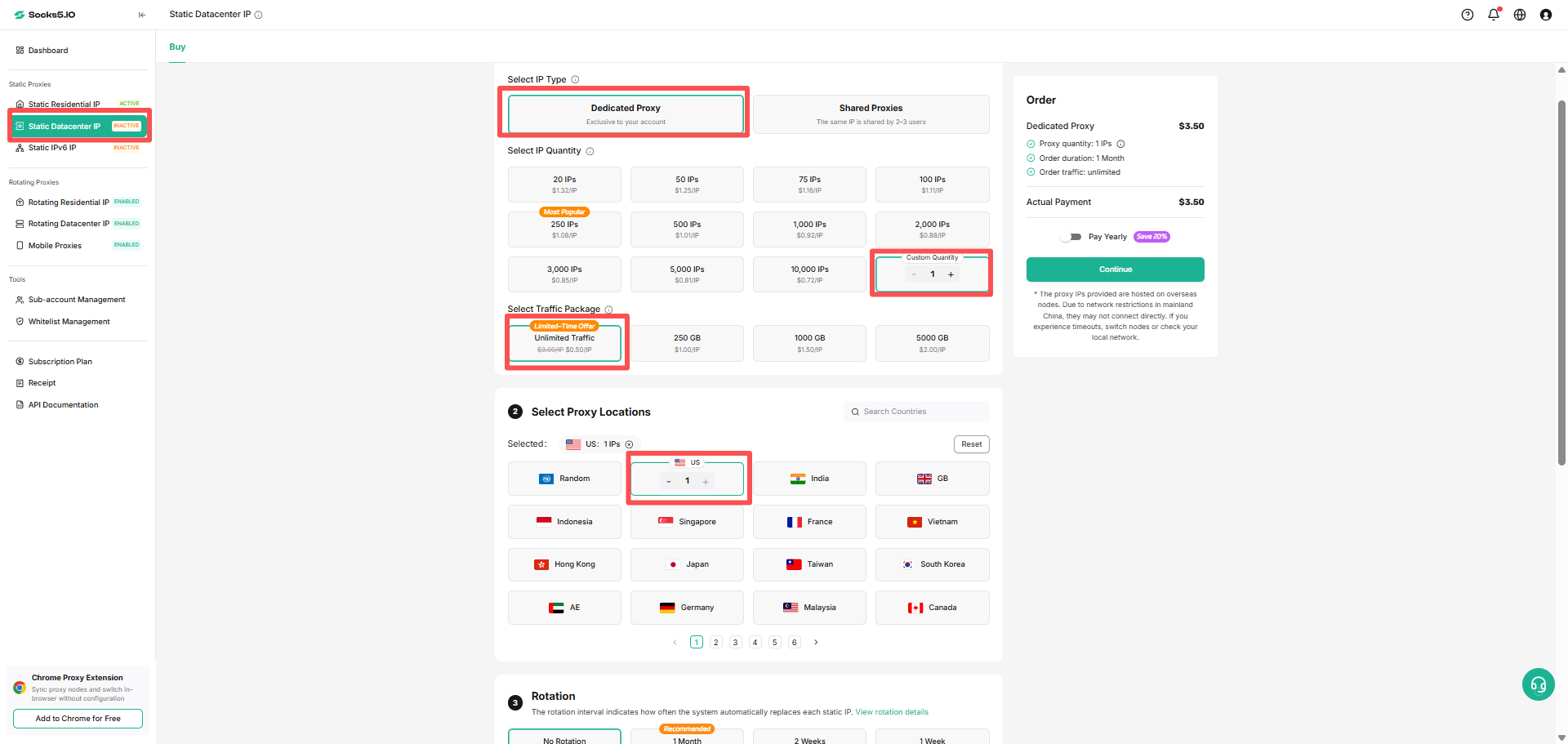
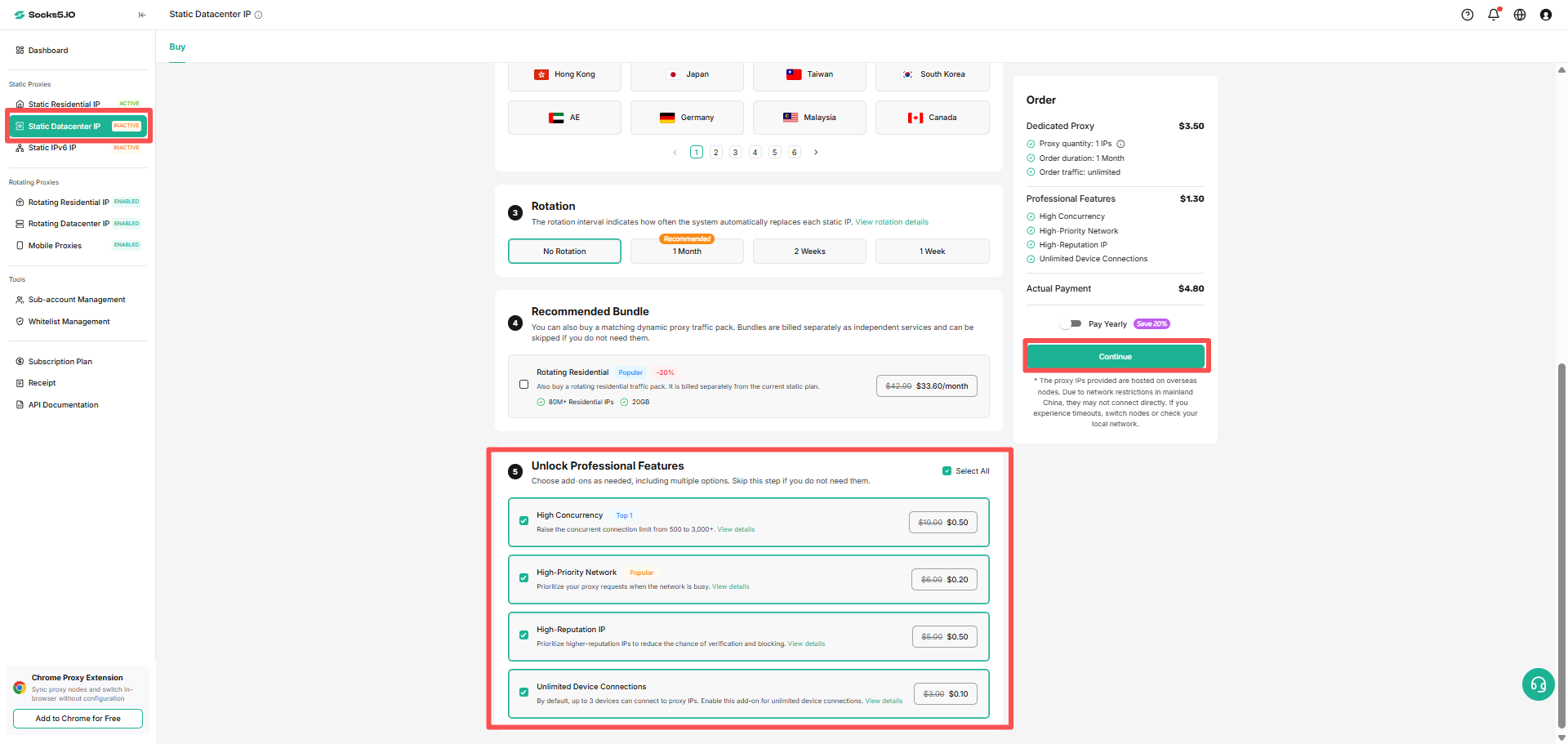
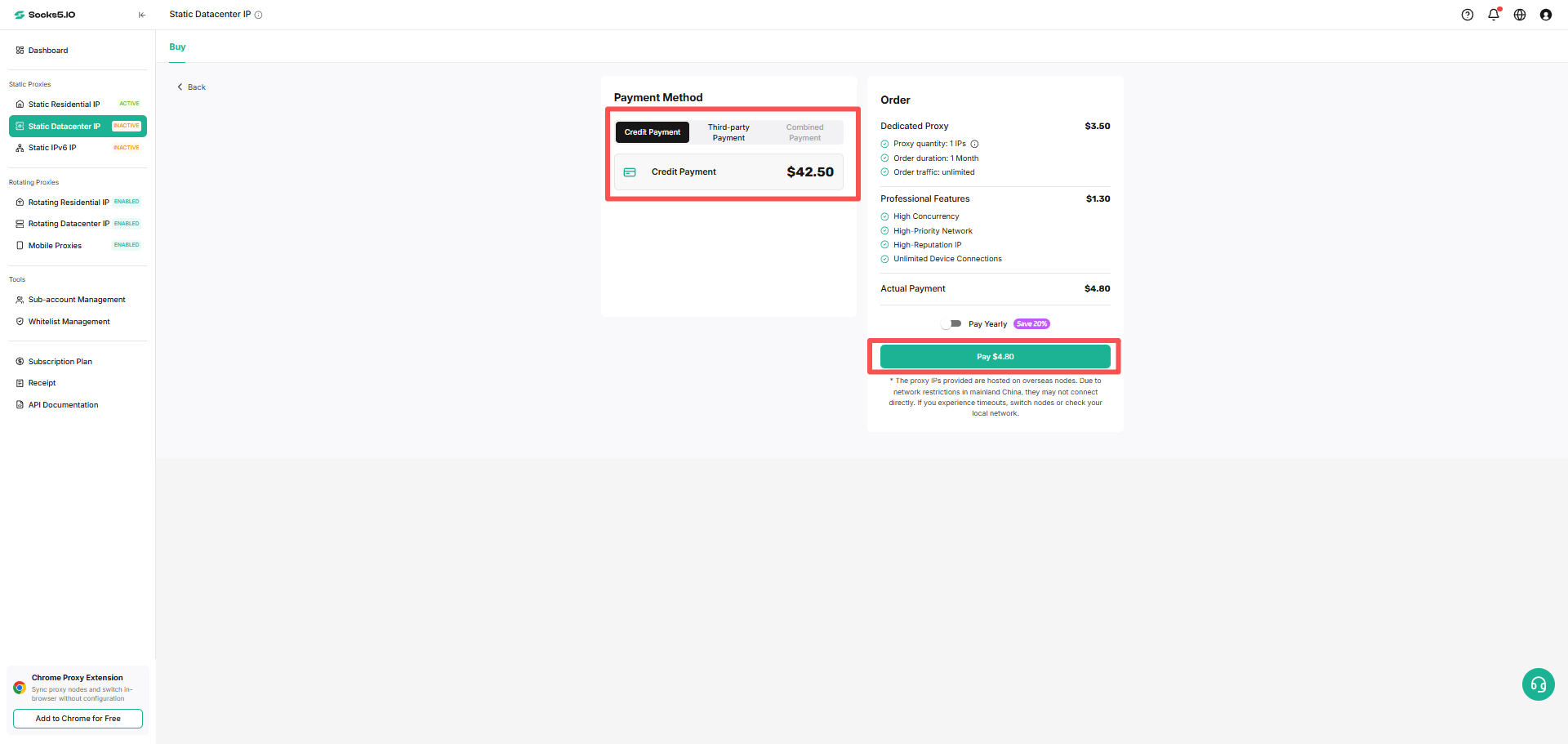
Proxy List Management
After purchase, open Static Datacenter IP → Proxy List to view your IPs.
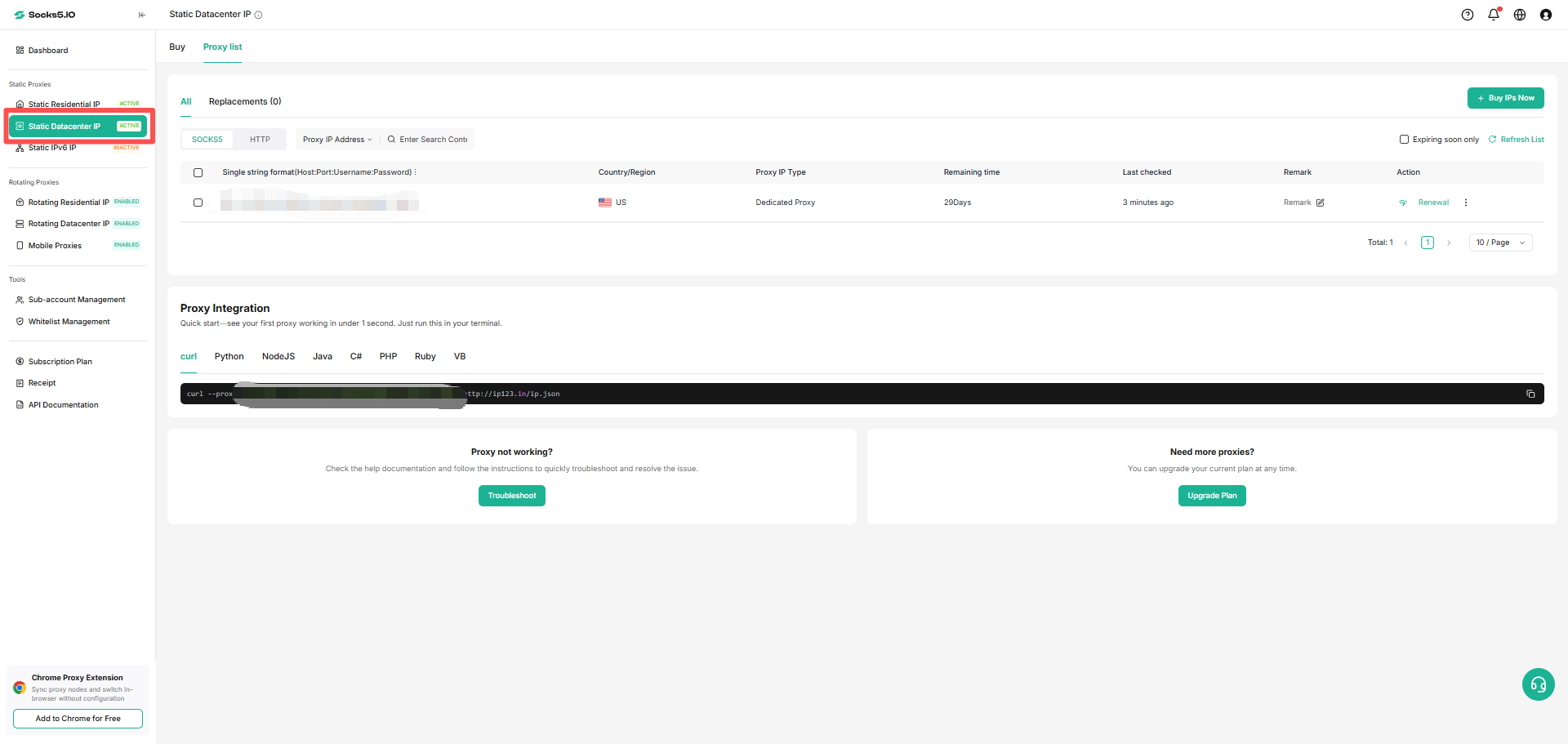
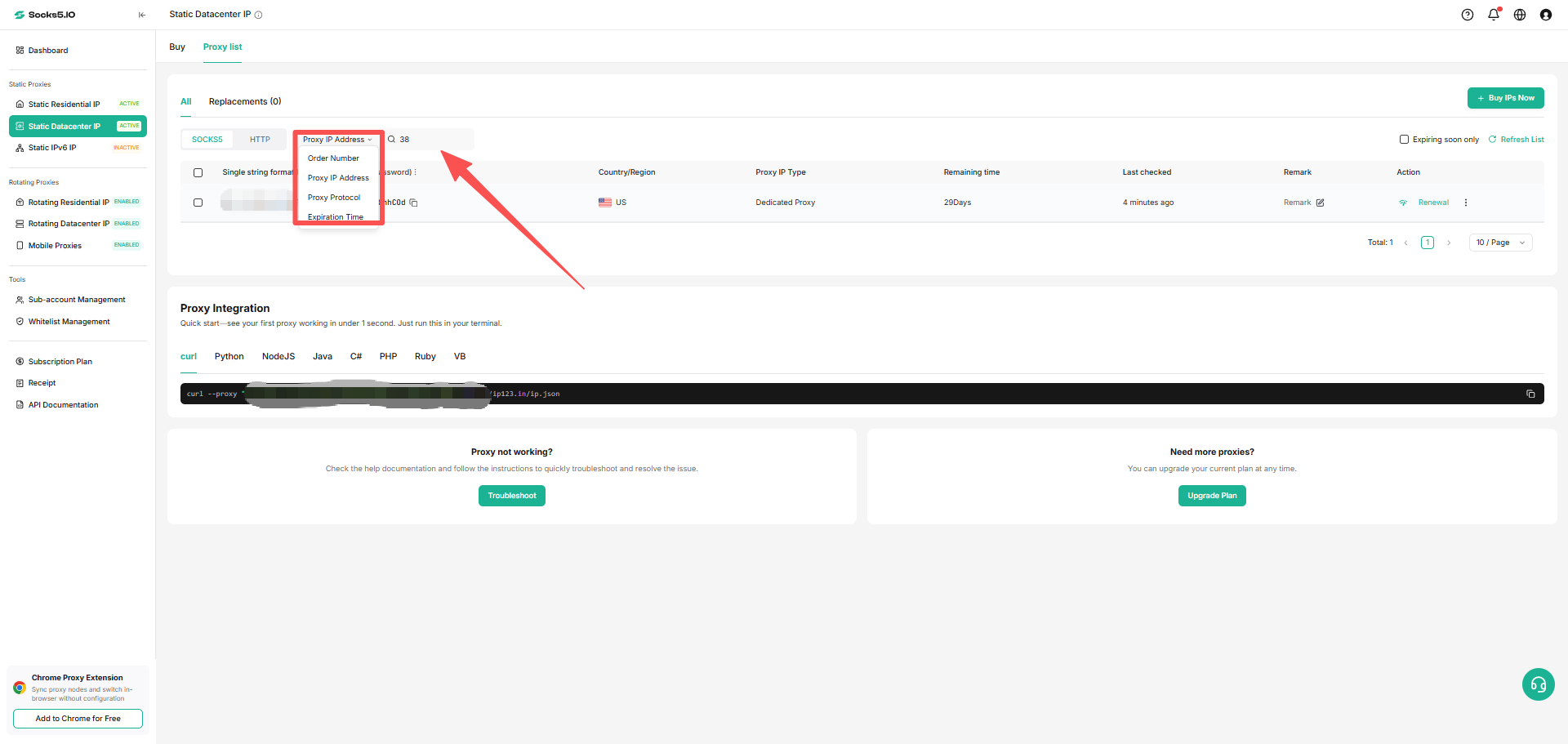
① Enter IP, Order Number or select Date to search for the specified IP.
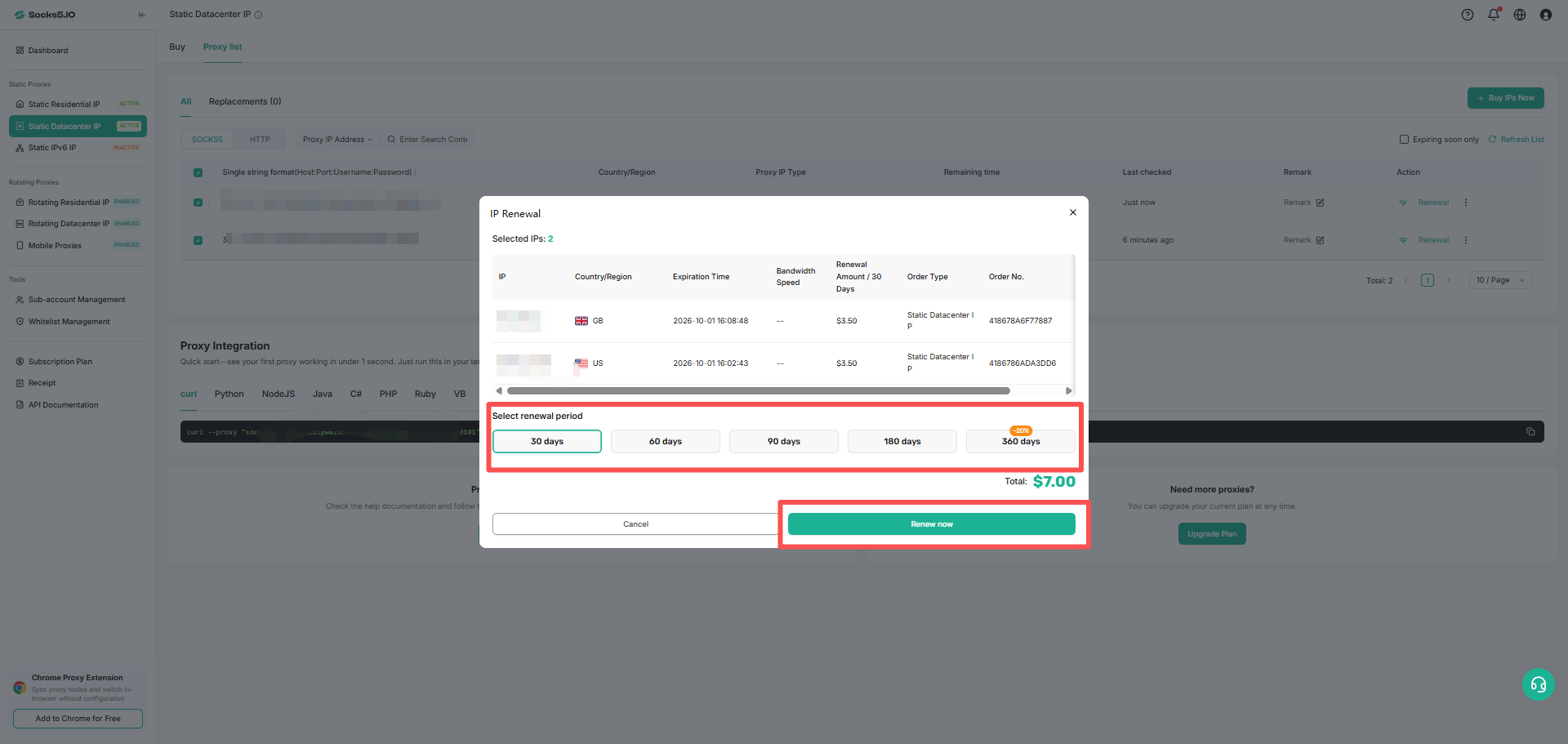
② Renewal: For a single IP that needs to be renewed, click the renewal button to perform the renewal operation. The default renewal time is one month.
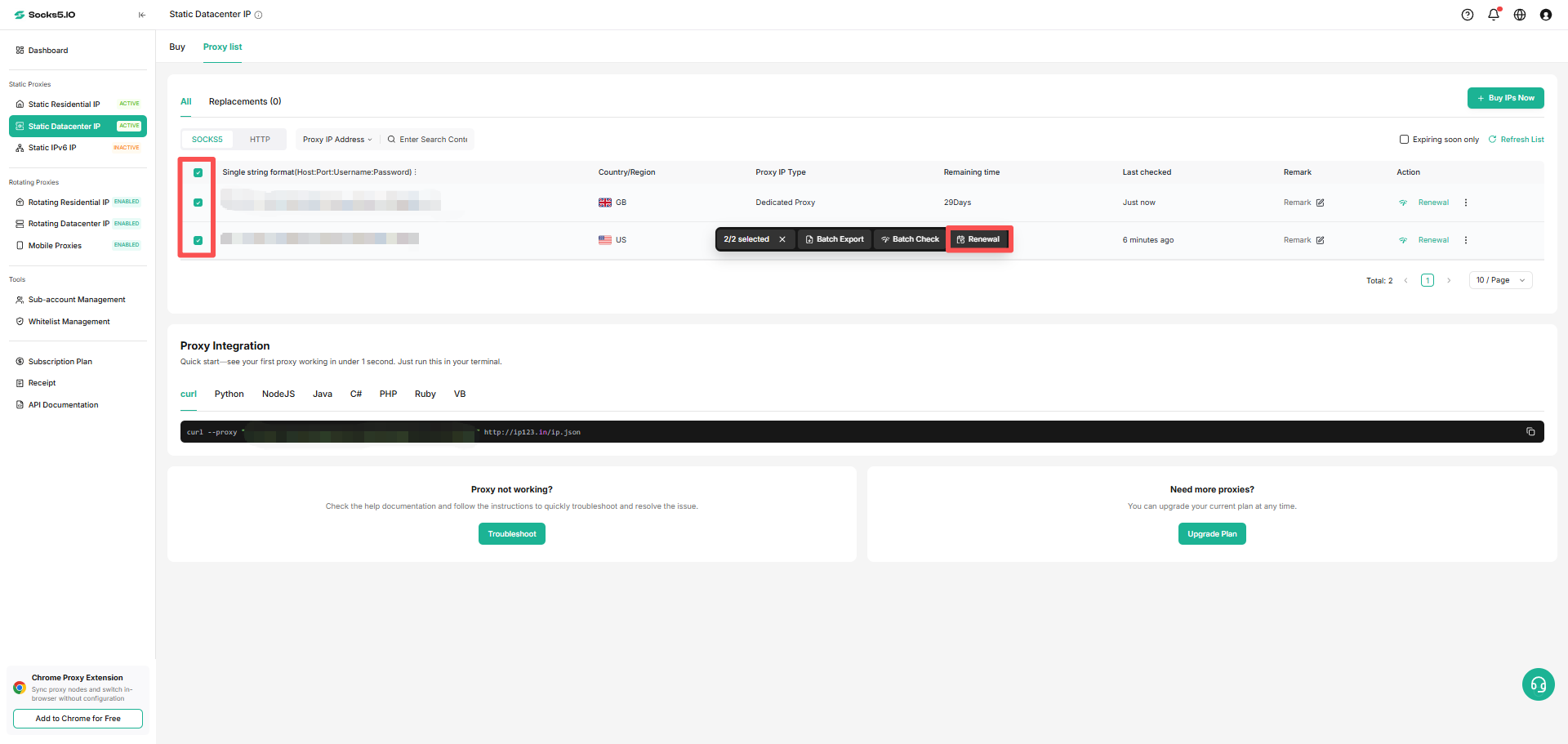
④ Batch Renewal: Check all the IPs that need to be renewed and click [Renew] to complete the renewal for the selected IPs at one time.
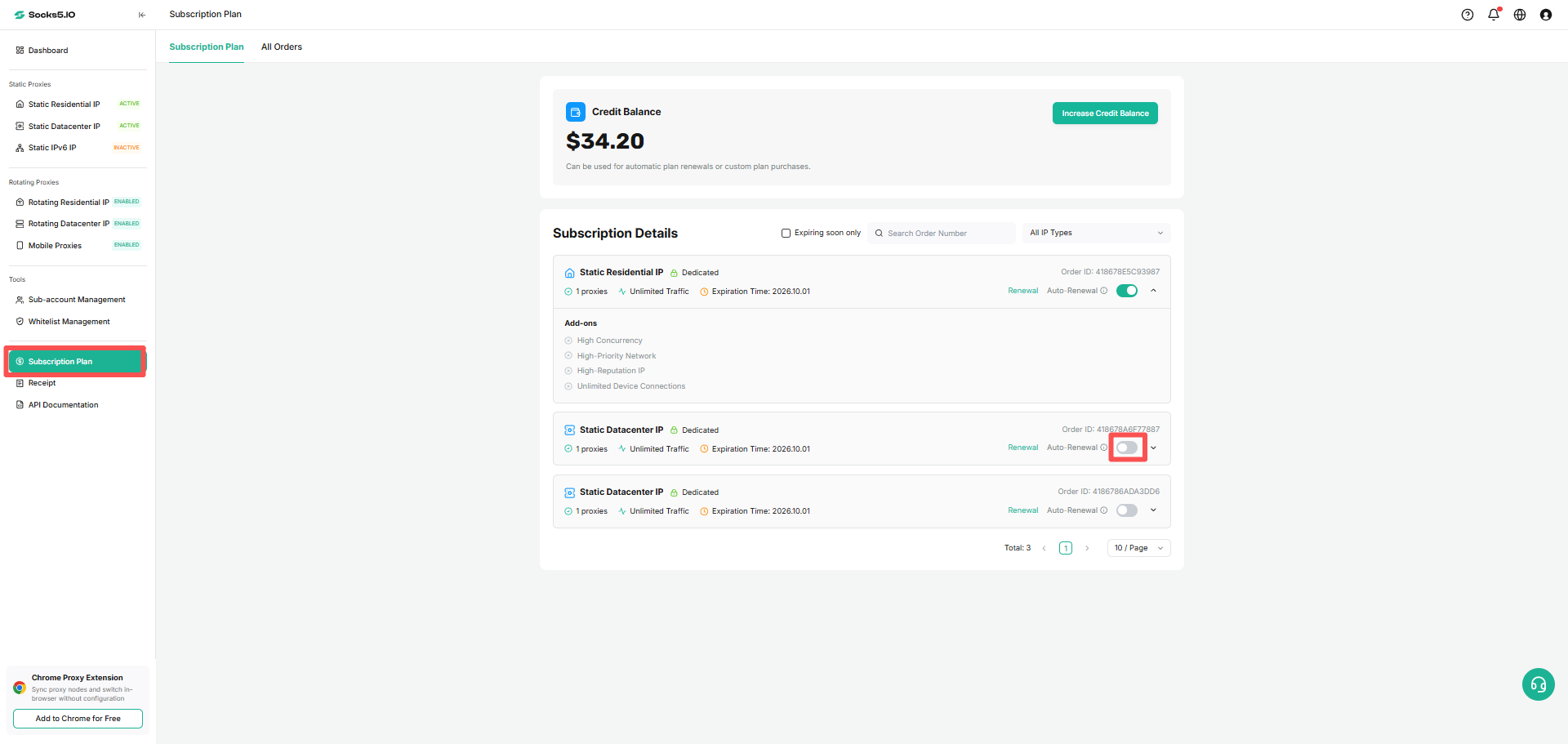
⑤ Automatic renewal: Check the IP that needs to turn on automatic renewal to enable this function; if you want to cancel, check the IP that has automatic renewal turned on and cancel.
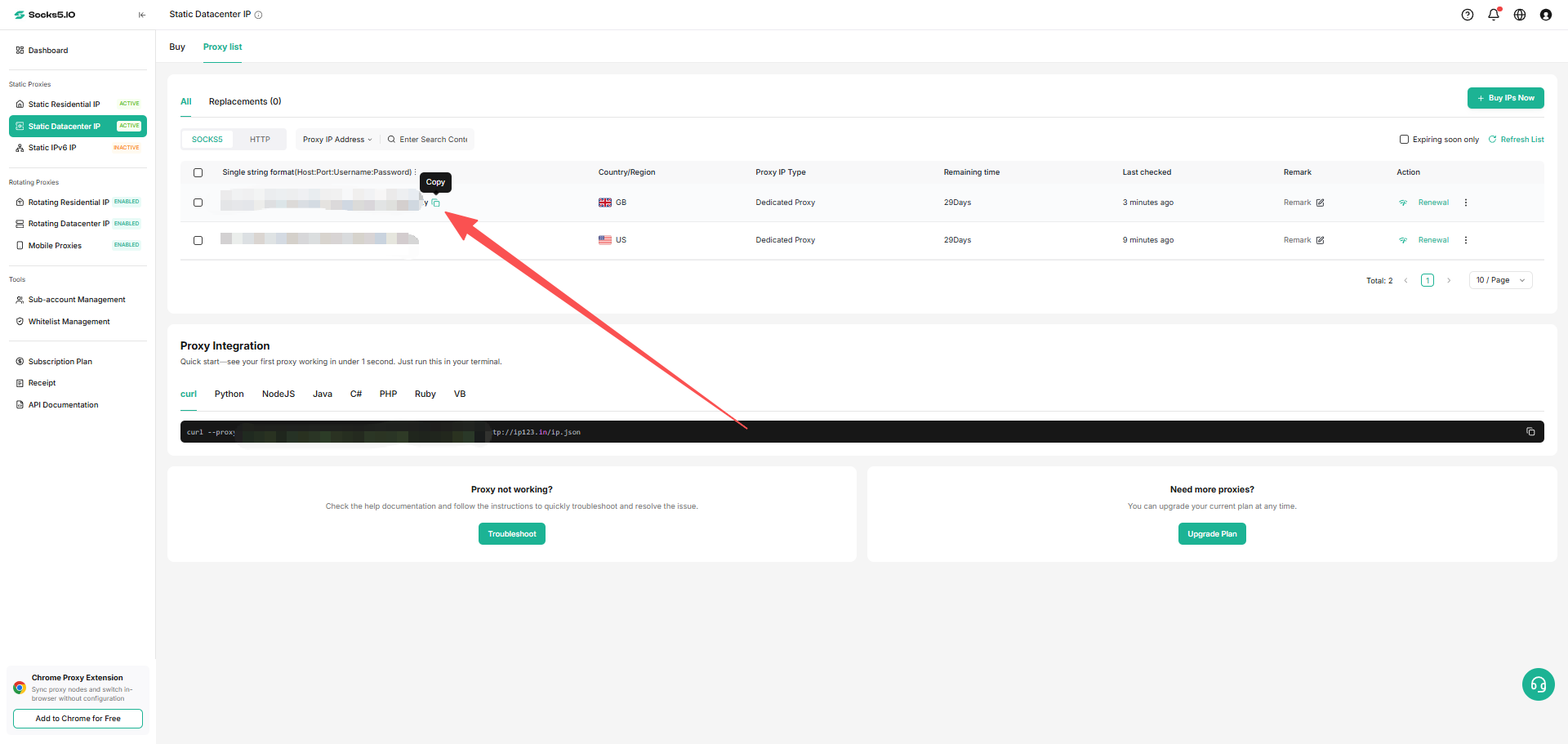
⑥ Copy: You can copy the selected IP information according to the selected format.
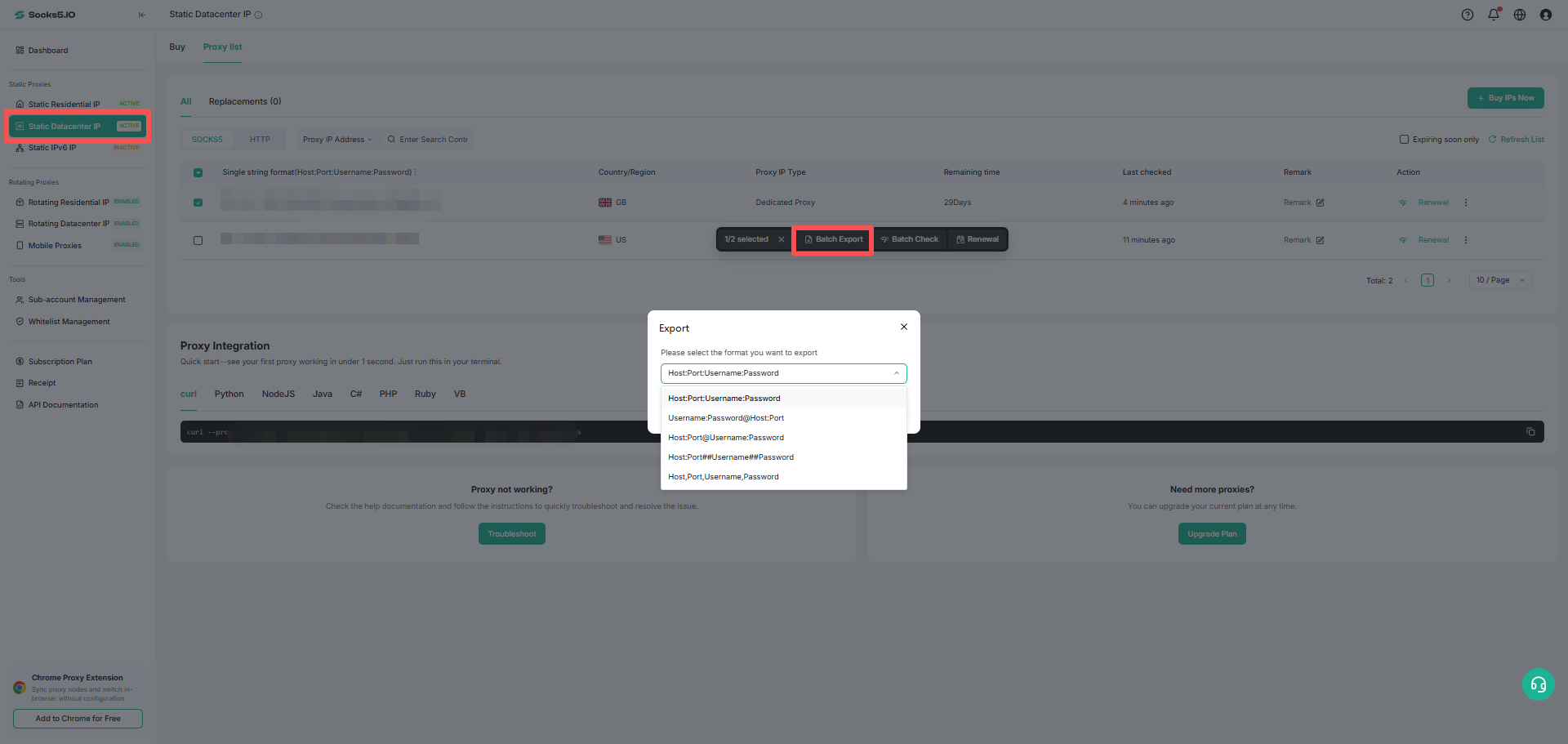
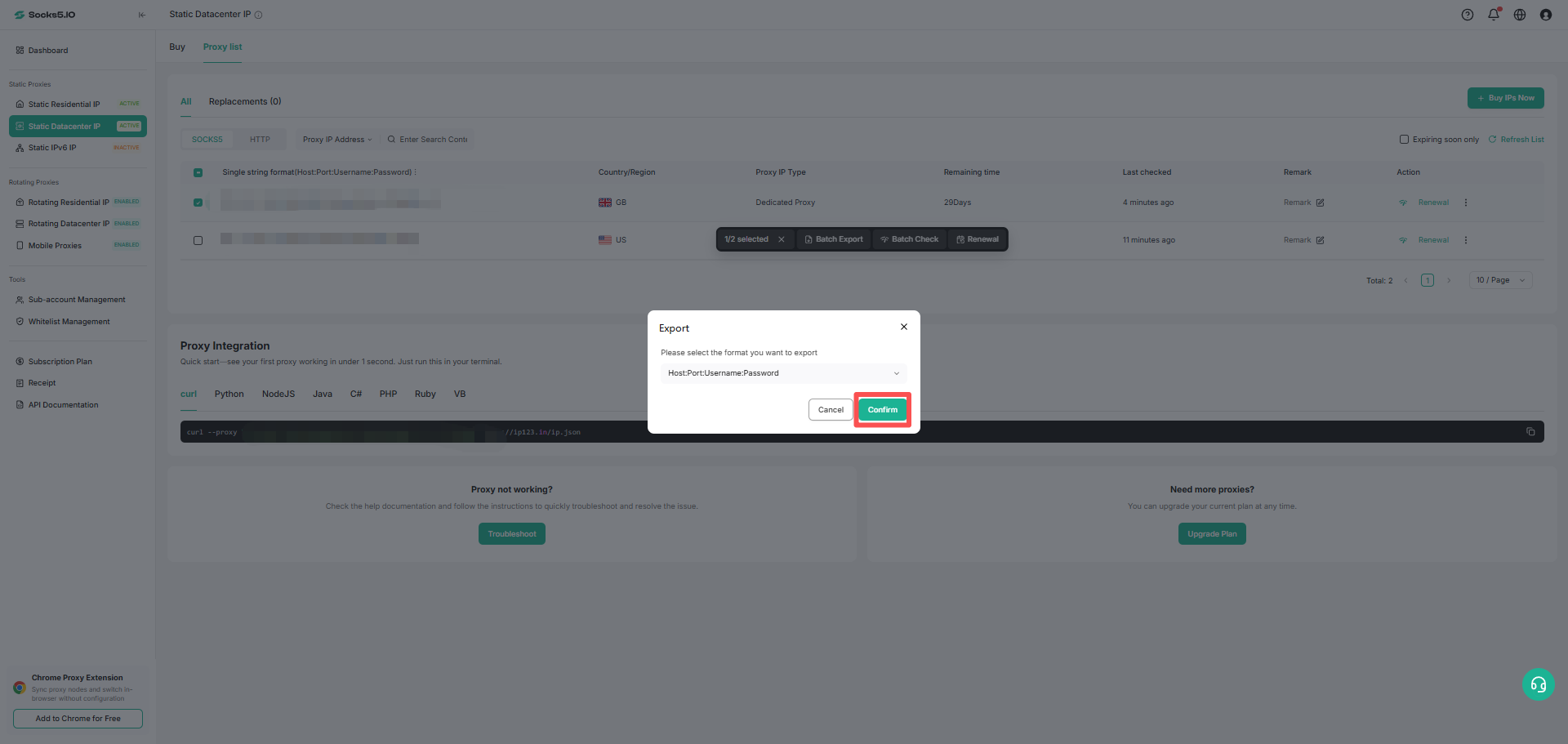
⑦ Export: Supports exporting the selected IP information into an exel file in the specified format.
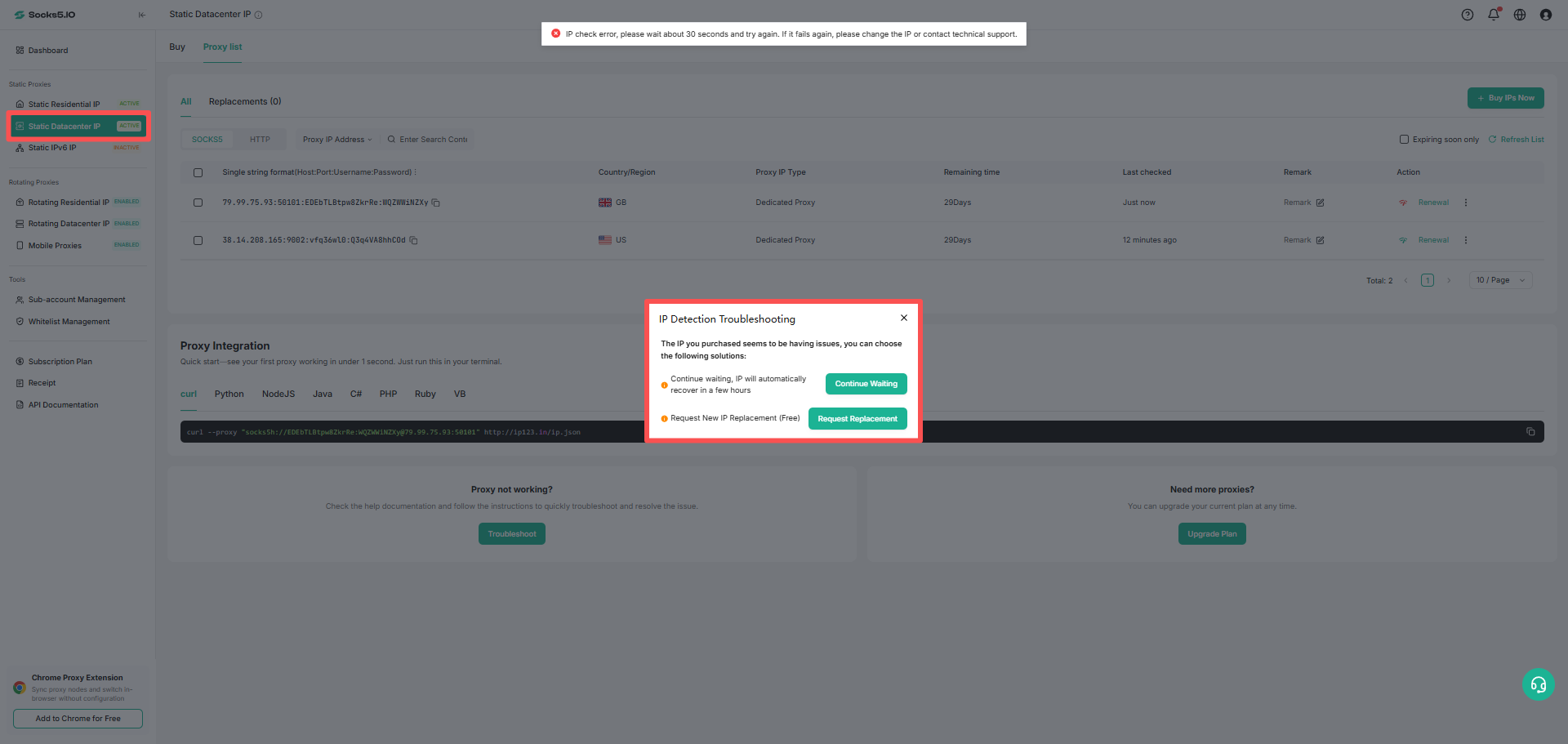
⑧ Replacement: When the IP is in an interrupted state, the replacement operation can be performed.