Edge
The following tutorial will show you how to set up a proxy in Edge.
1
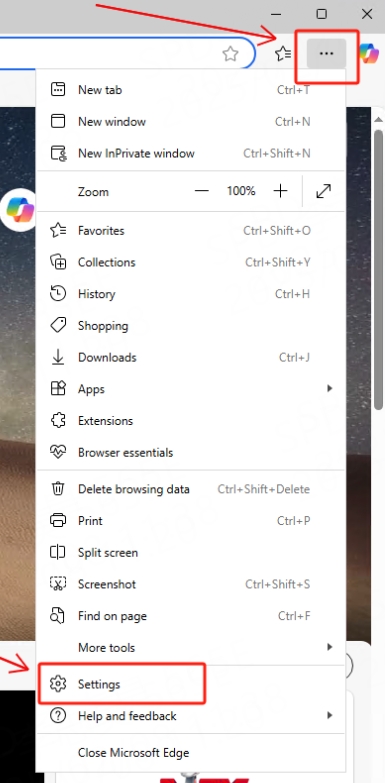
Click the three-dot icon in the upper right corner of the Edge browser and select "Settings"
2
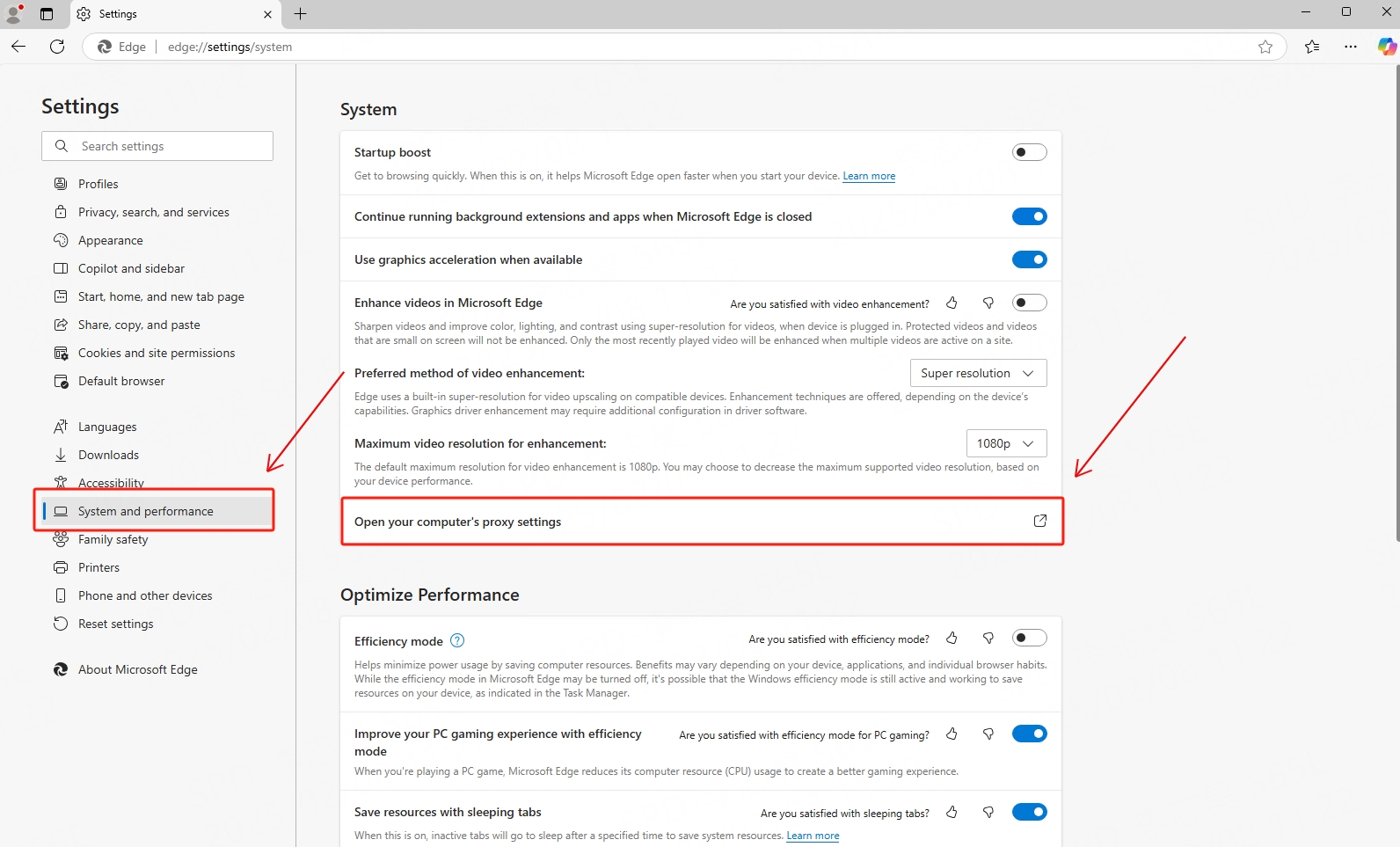
Click "System and performance" and open your computer proxy settings
3
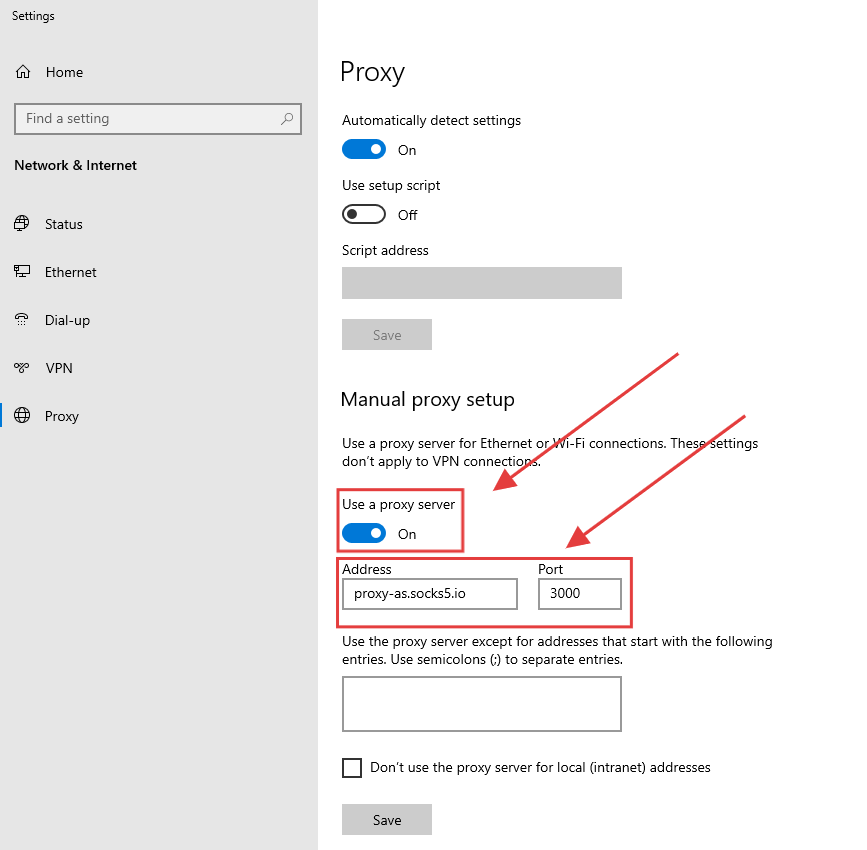
Scroll down to manual proxy settings, enter the host and port and save
4
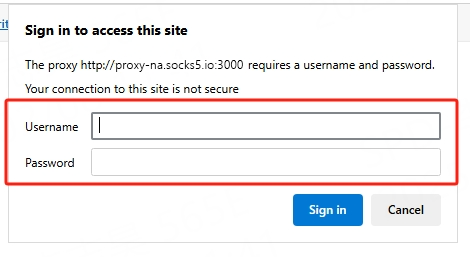
Finally, enter your agent account and password when accessing the website