ClonBrowser
What is ClonBrowser?
ClonBrowser is a versatile and powerful tool that automates repetitive online tasks and securely manages multiple accounts across different platforms. It offers a customizable anti-detection environment, advanced fingerprinting options, and a suite of automated templates, making it the first choice for increased efficiency and privacy.
Here's how to integrate Socks5 with ClonBrowser.
2
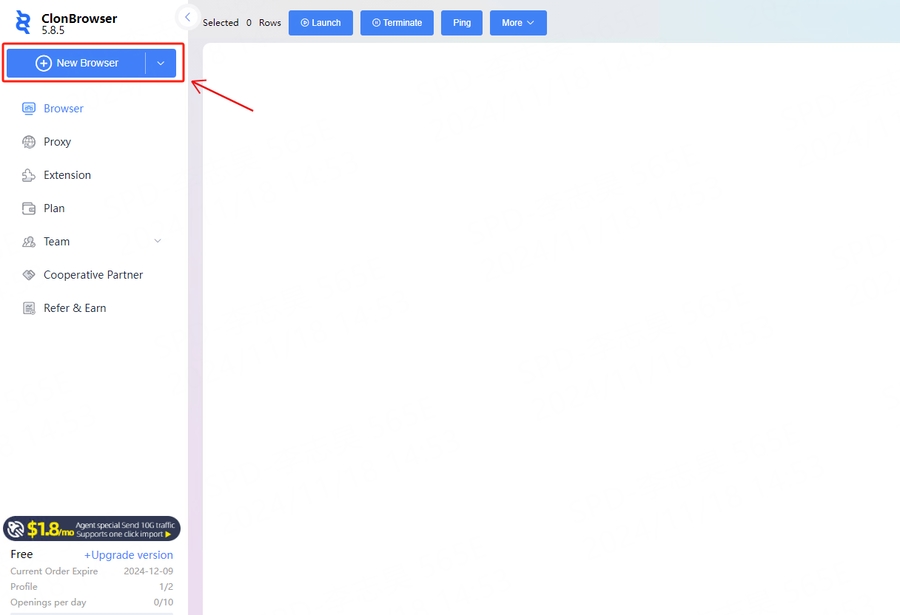
Click [New Browser] on the left navigation bar to start creating
3
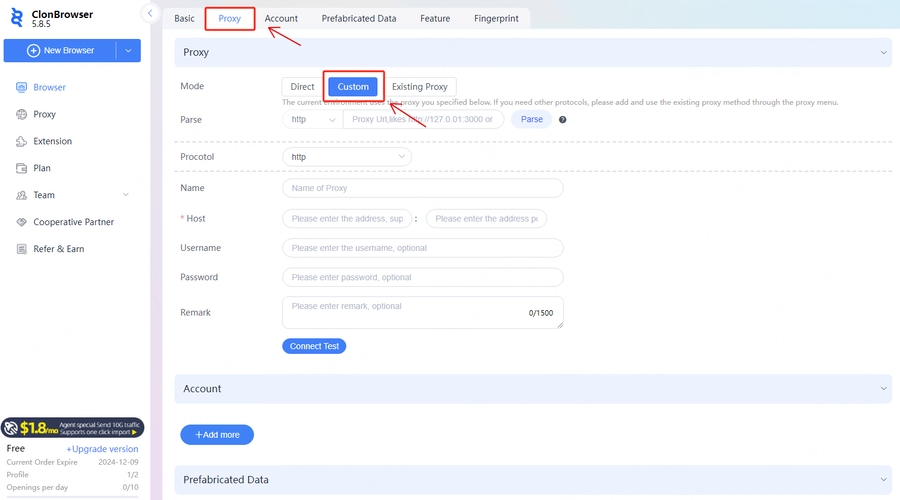
Click [Proxy] and select [Custom] in the mode
4
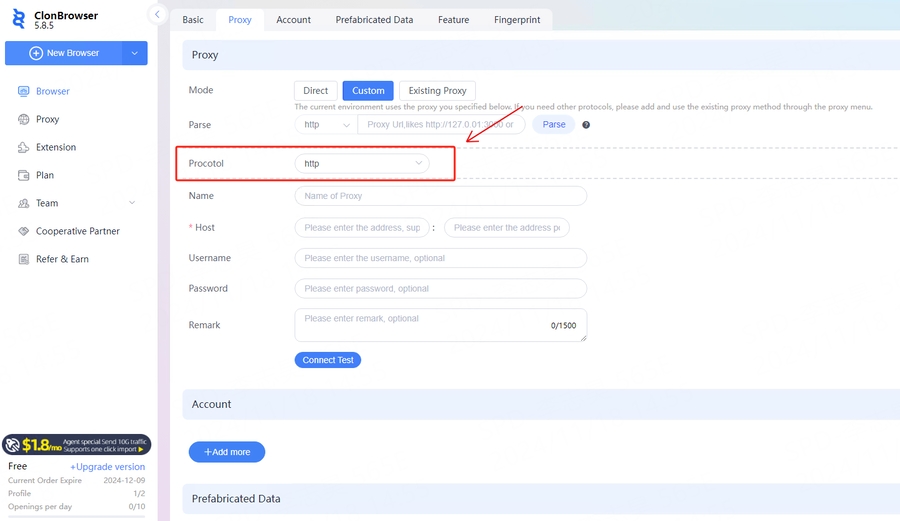
Select [HTTP] in the proxy type
5
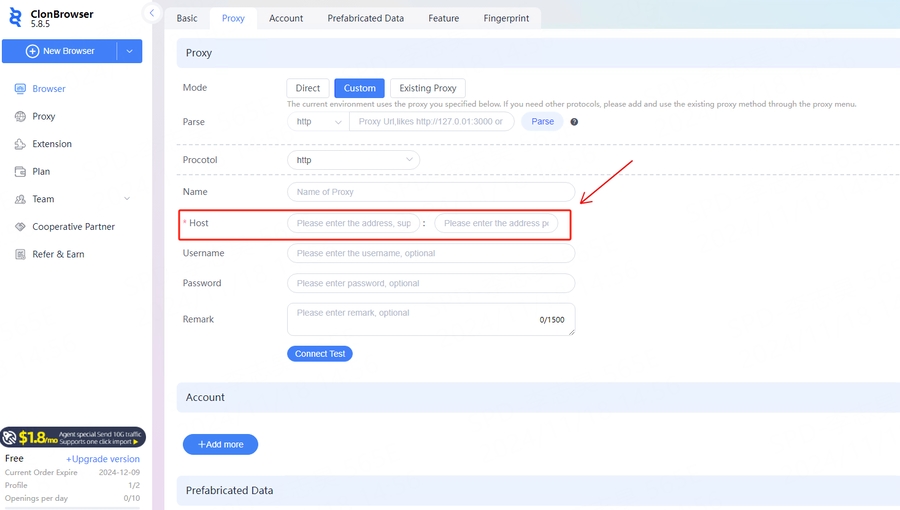
Enter [Host] and [Port] information
6
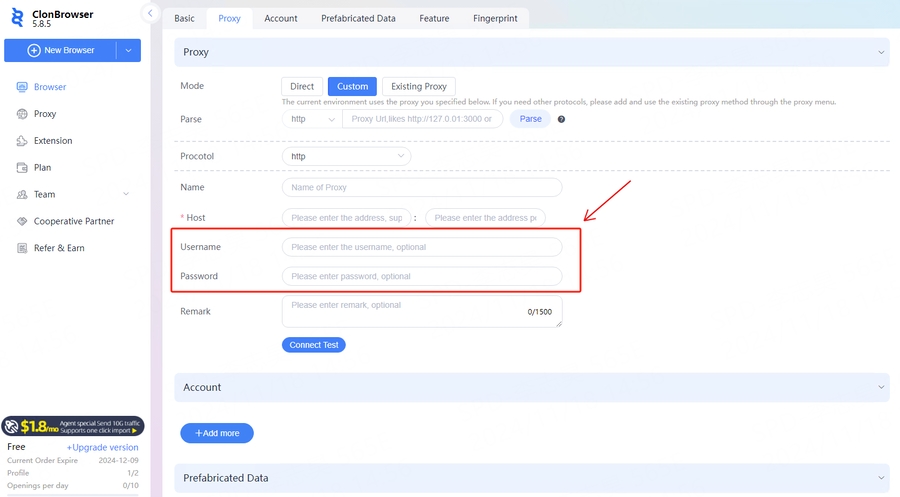
Enter [Agent Account] and [Agent Password]
7
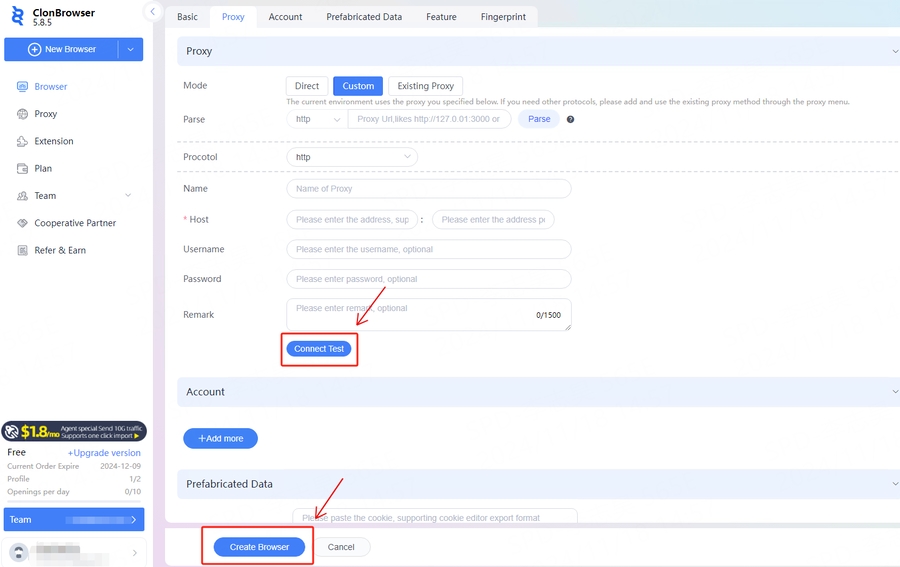
After the proxy information is configured, click [Connect Test] to test. After confirming that the test is successful, click [Create Browser] to create it.
8
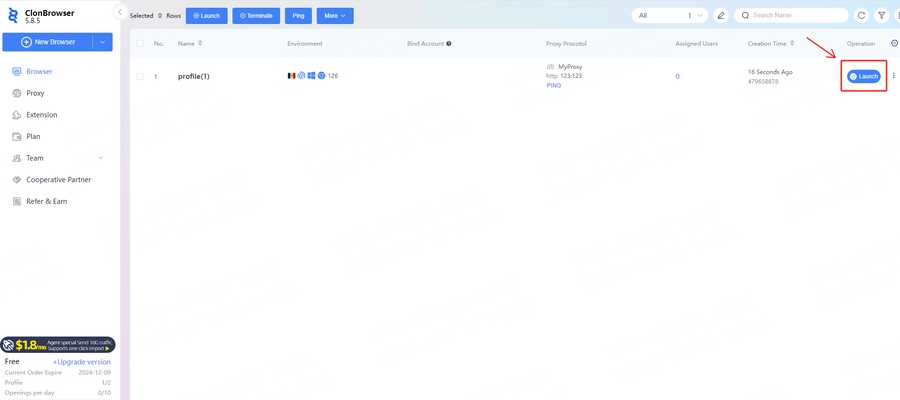
After successful creation, click [Launch] to start using it.