
Getting Started
This tutorial will introduce you in detail how to purchase and use an ISP proxy
If you have not registered Socks5, you can Free registration**. **
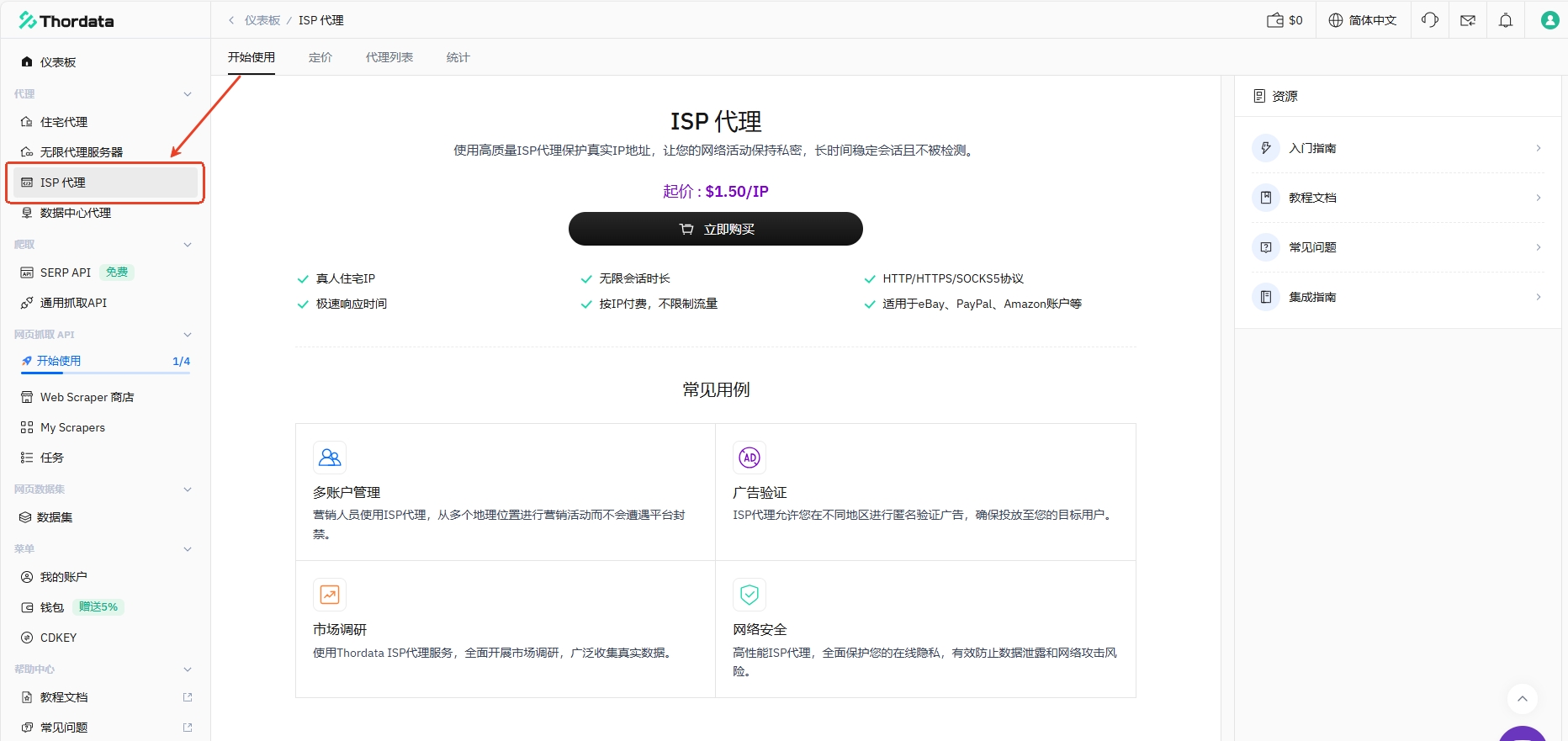
Buy
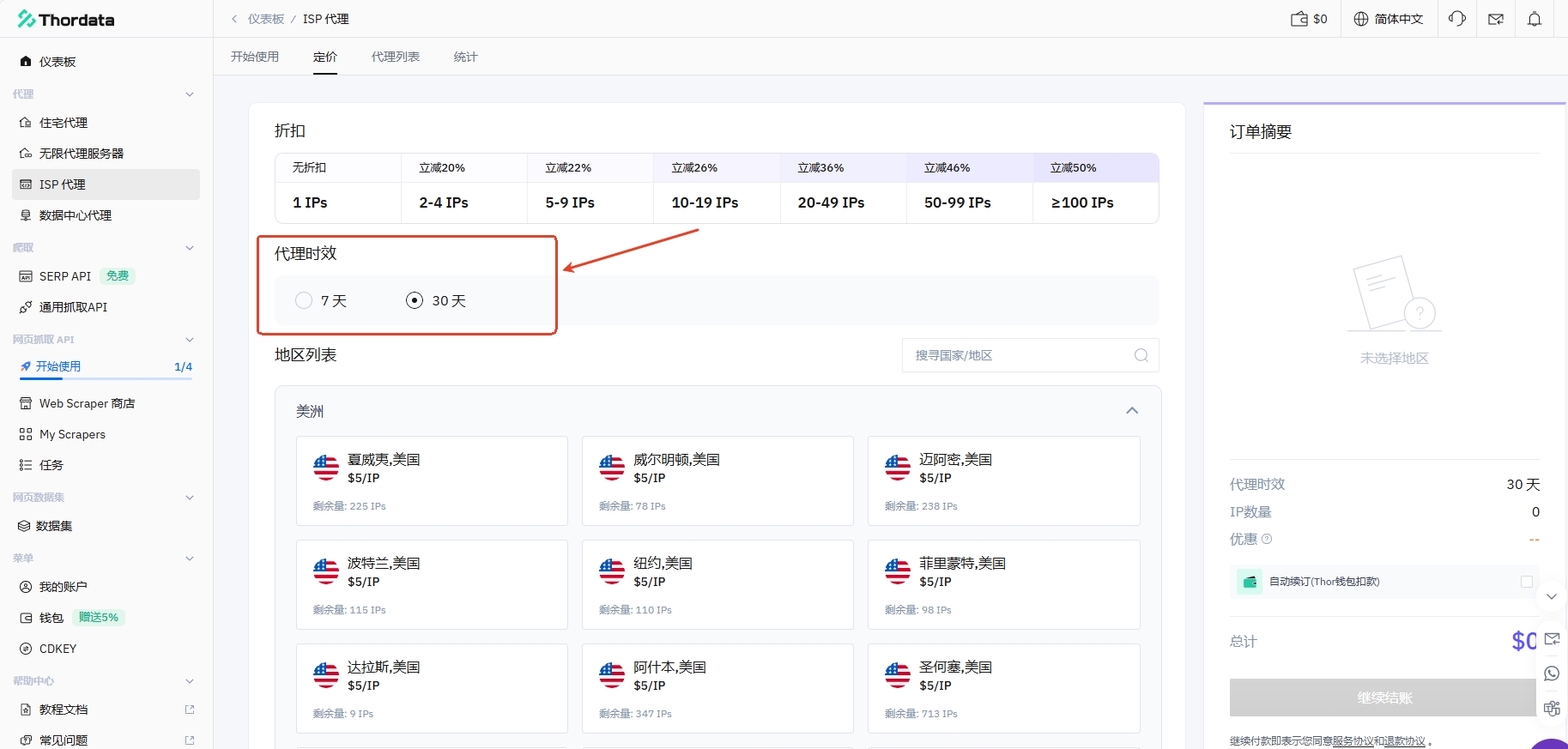
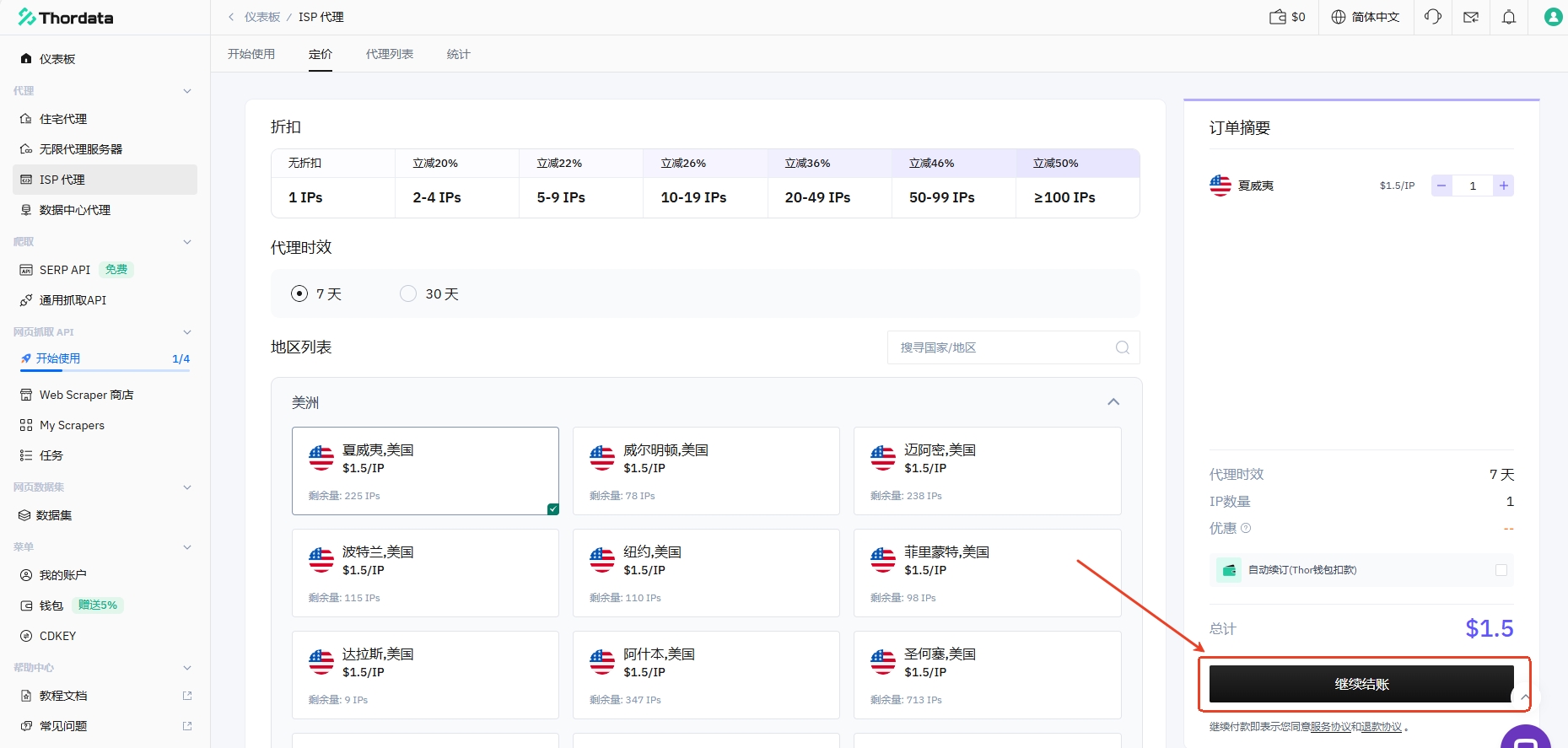
Choose the proxy time limit for purchasing IP
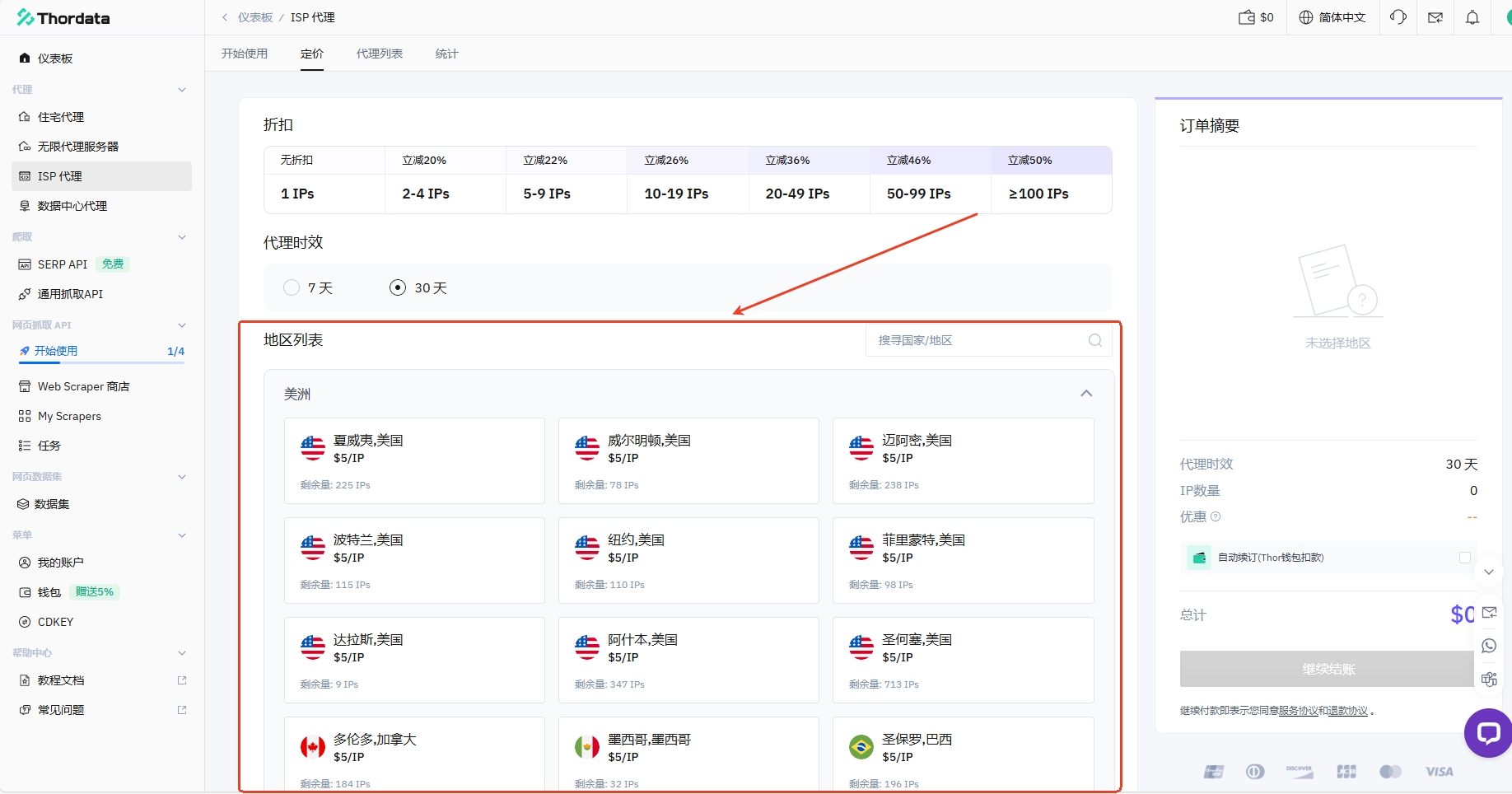
Select the IP region to purchase
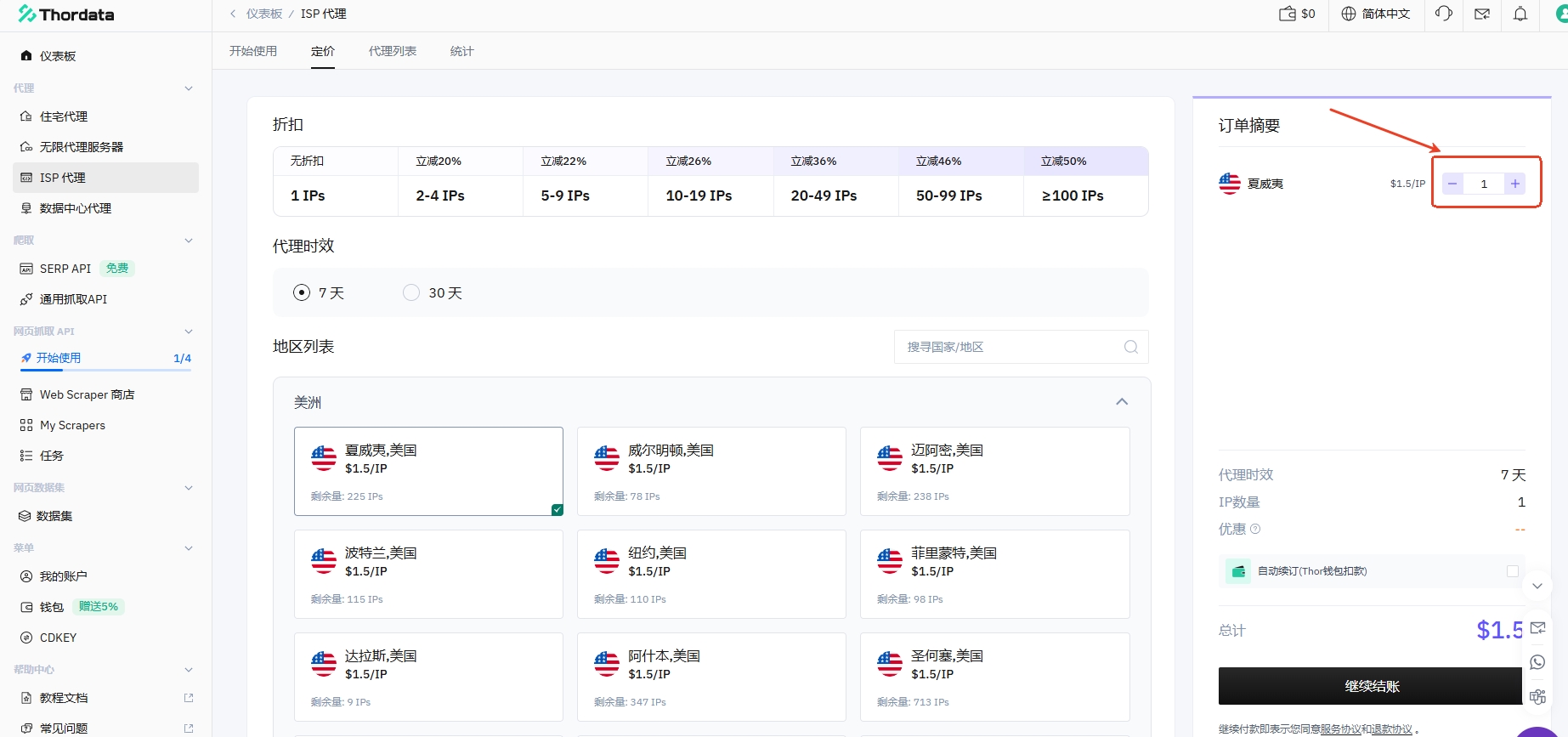
Select the number of IPs to purchase
Click [Continue Checkout] and complete payment
Check the purchased IP and use it
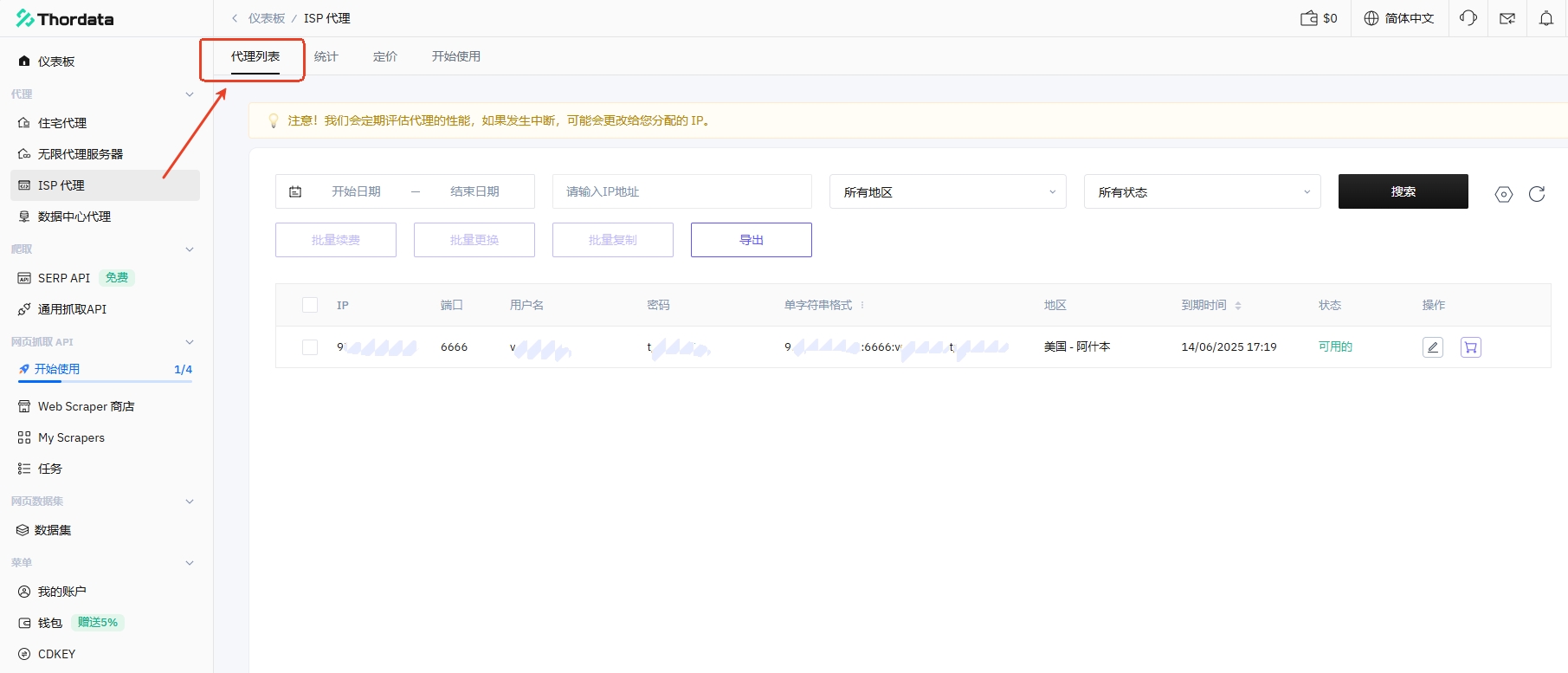
After purchasing, click [Proxy List] to view and use all purchased IP information
Configure fingerprint browser
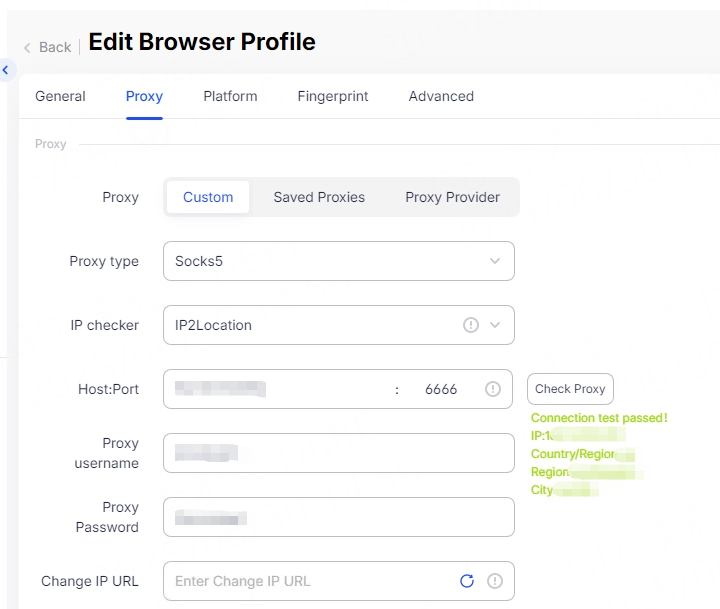
Just paste the copied proxy information into the Host:Port input box with one click, and other relevant information will be automatically filled in. Click "Detect Proxy", and after saving, you can launch the corresponding browser window and start using the proxy service.
Kind tips:
Please strictly follow our operation tutorial to complete the setup step by step to avoid unnecessary problems and ensure normal use of the agent.
If you still encounter problems during the operation, please feel free to contact our technical support: [email protected]