SwitchyOmega
What is SwitchyOmega?
SwitchyOmega is a proxy management extension for browsers such as Chrome and Firefox, mainly used to quickly switch proxy servers and rule settings.
The following is an introduction to how to integrate Socks5 with SwitchyOmega.
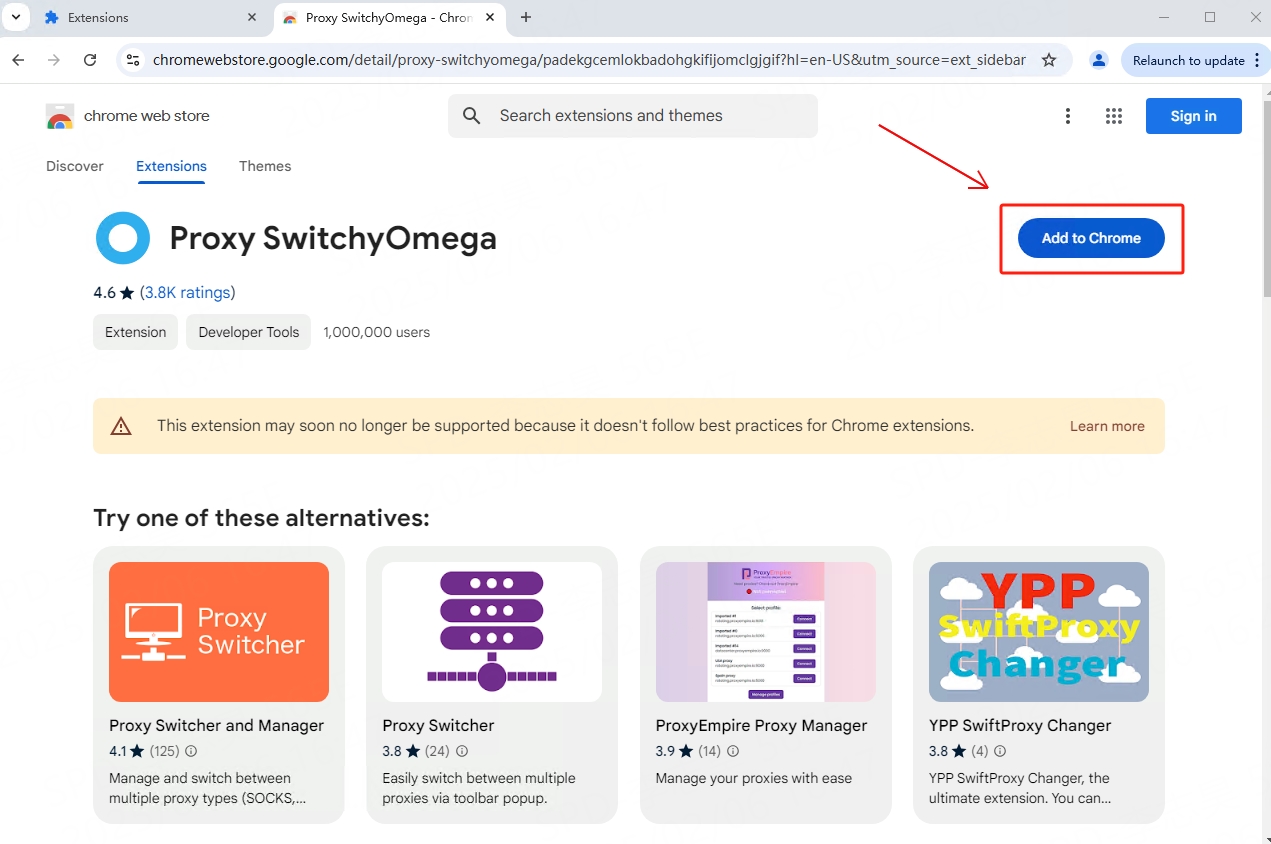
2
Click the SwitchyOmega icon in the upper right extension of Google Chrome and select "Options"
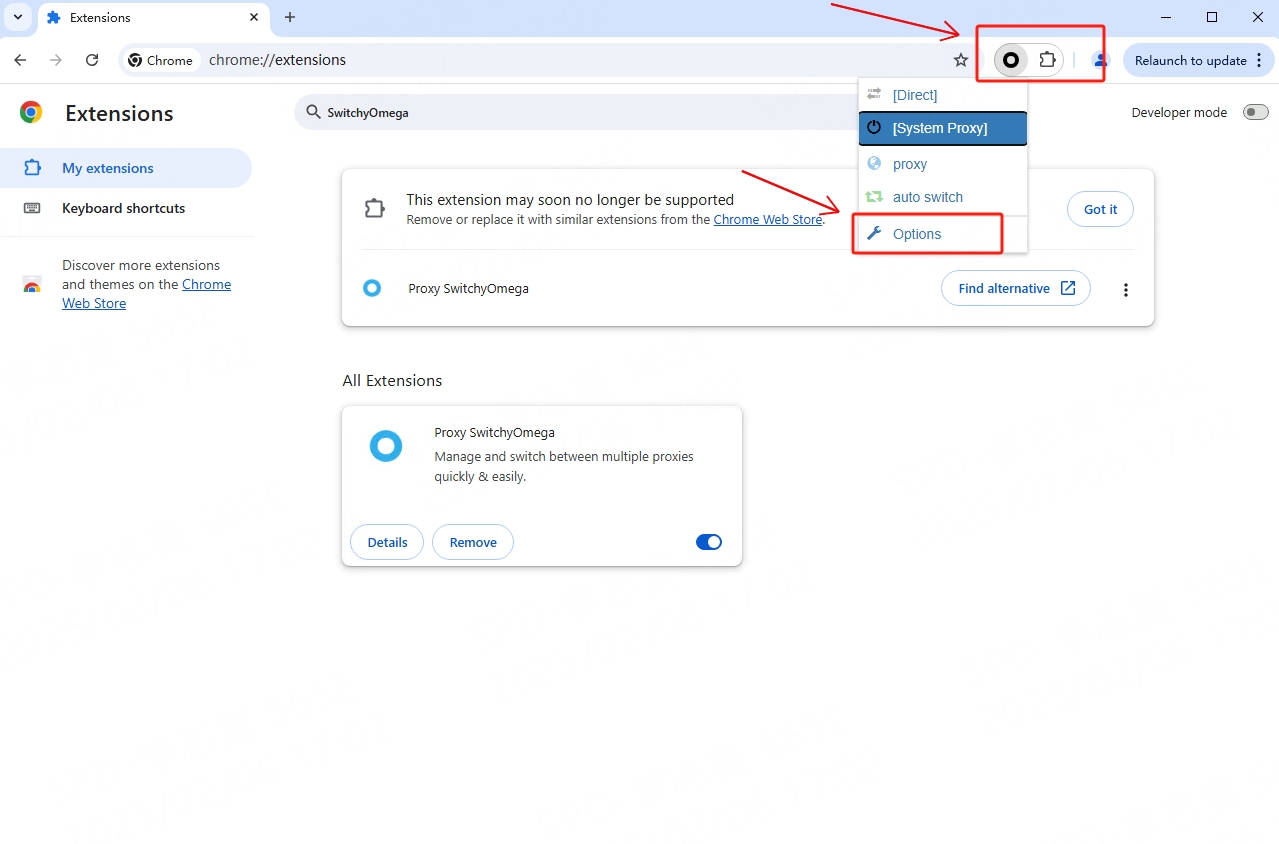
3
Click "+New profile" to create a new proxy profile
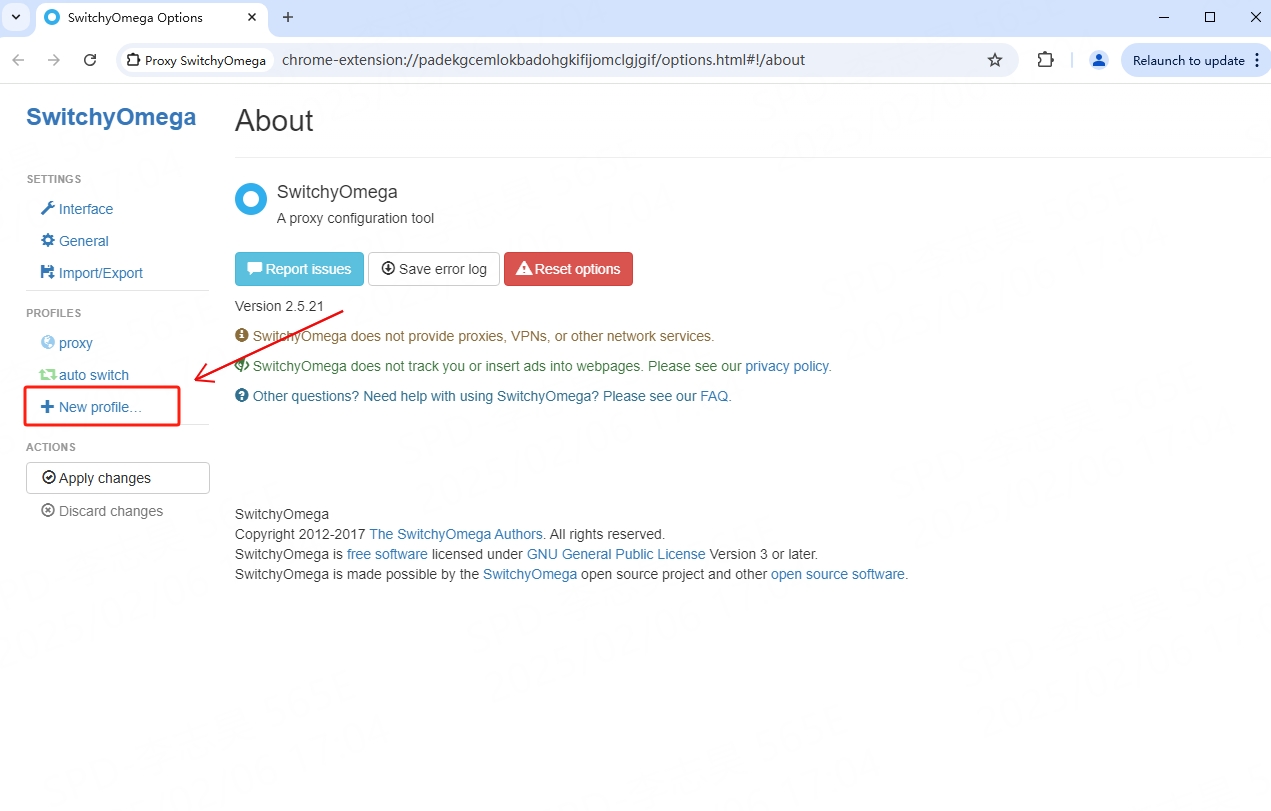
4
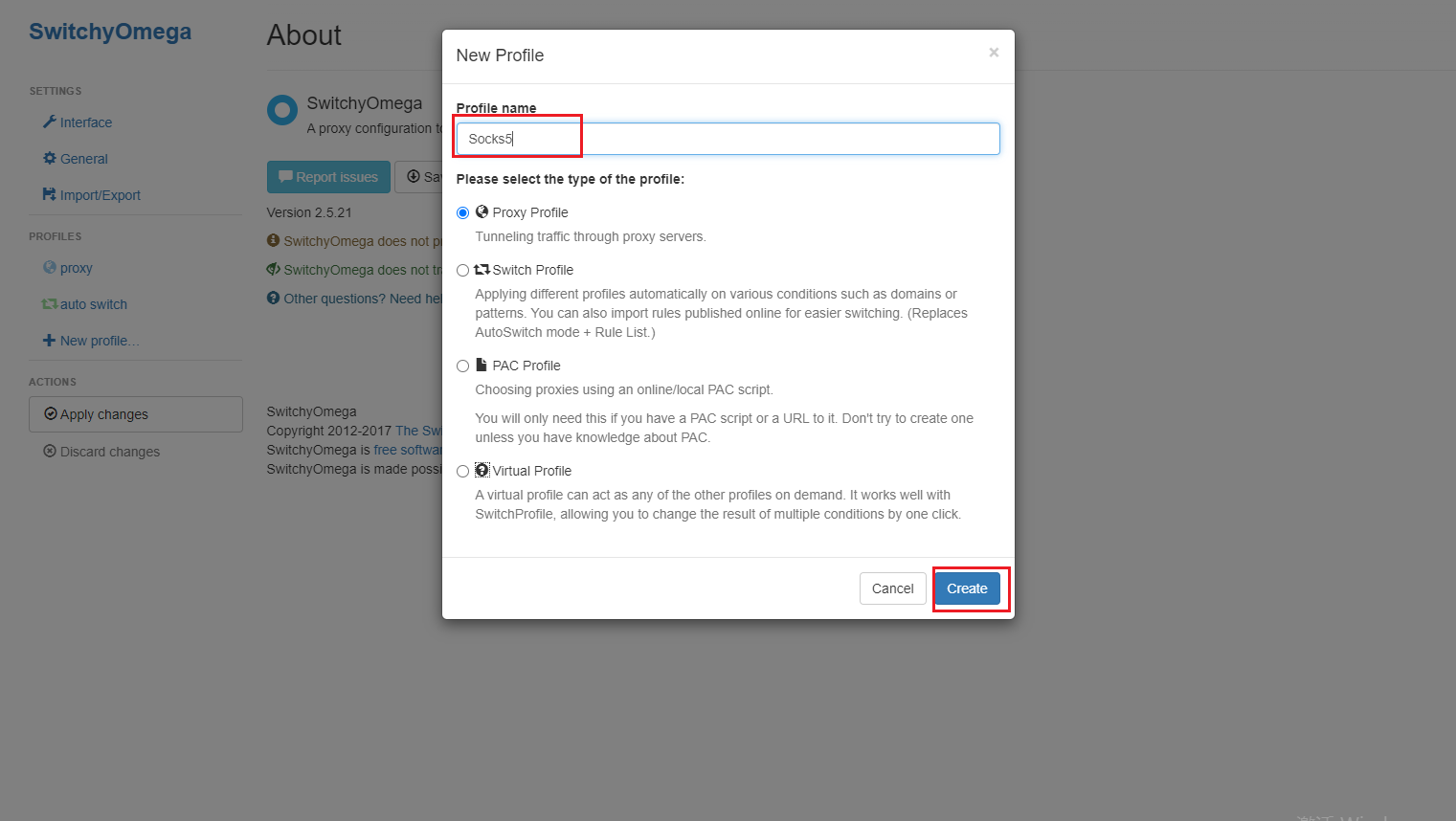
Name the newly created proxy configuration file and click the "Create" button
5
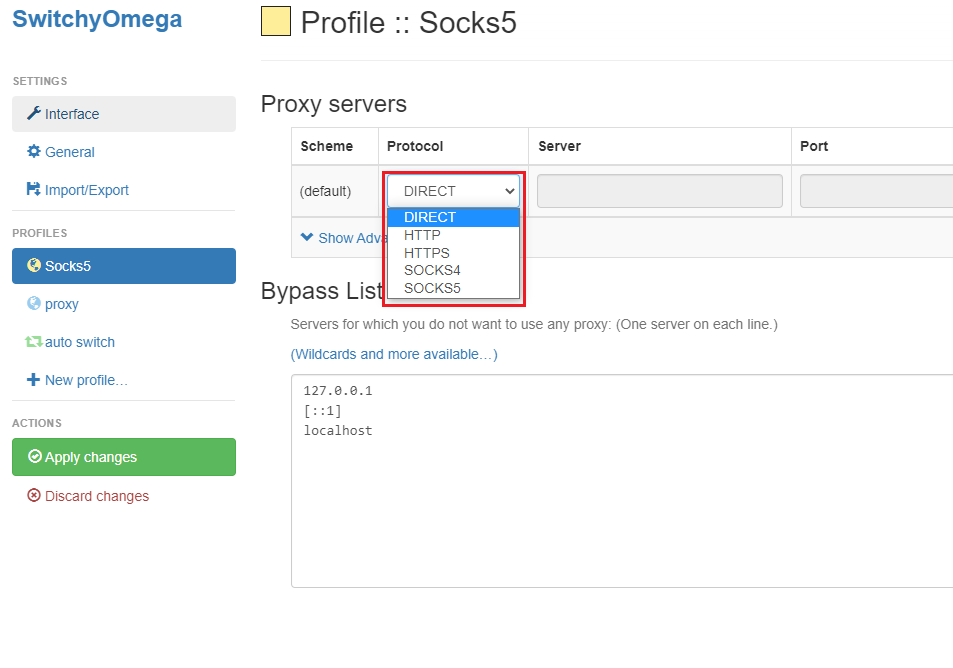
Configure proxy information: select HTTP in the protocol
6
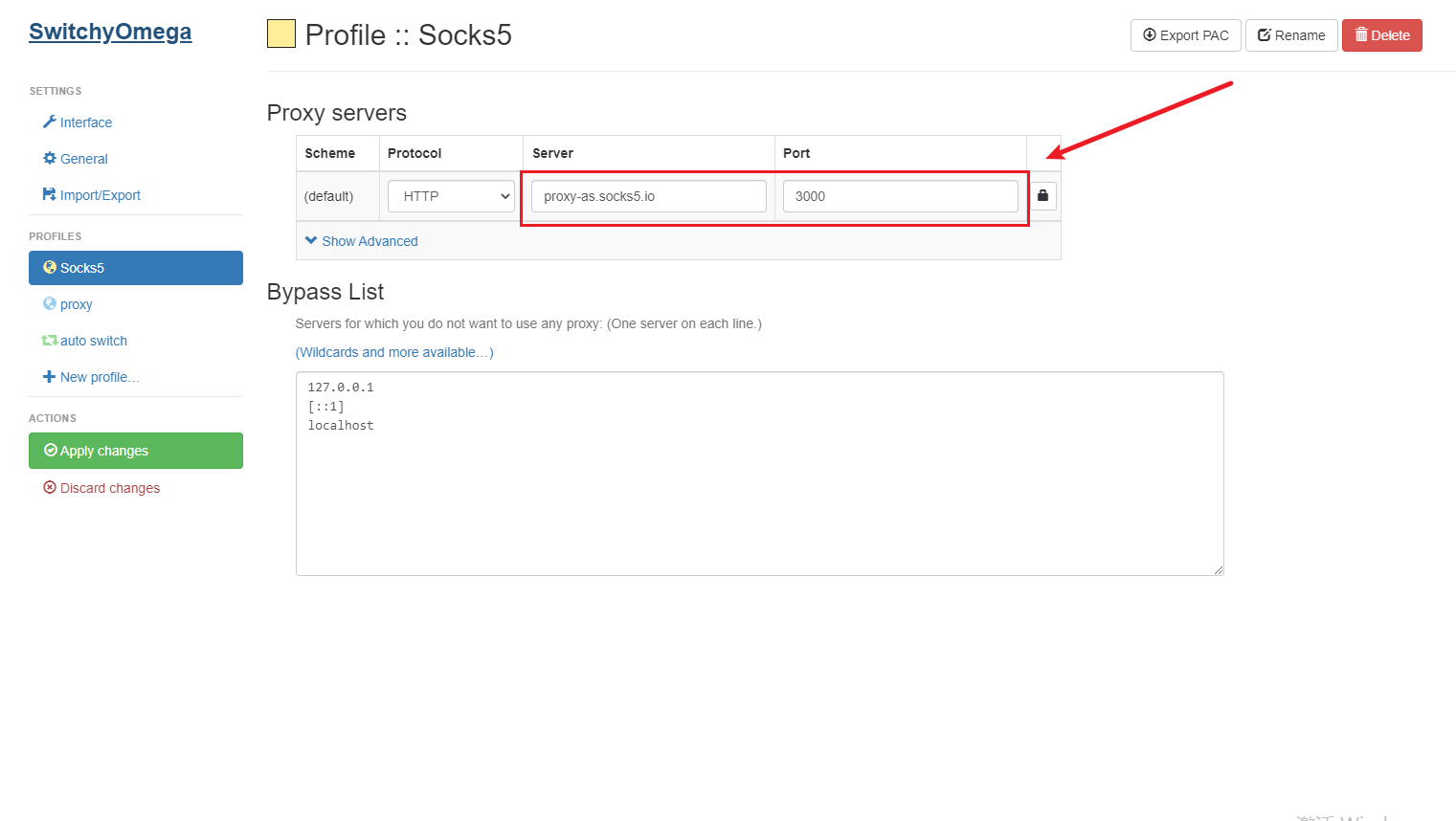
Configure proxy information: host and port
7
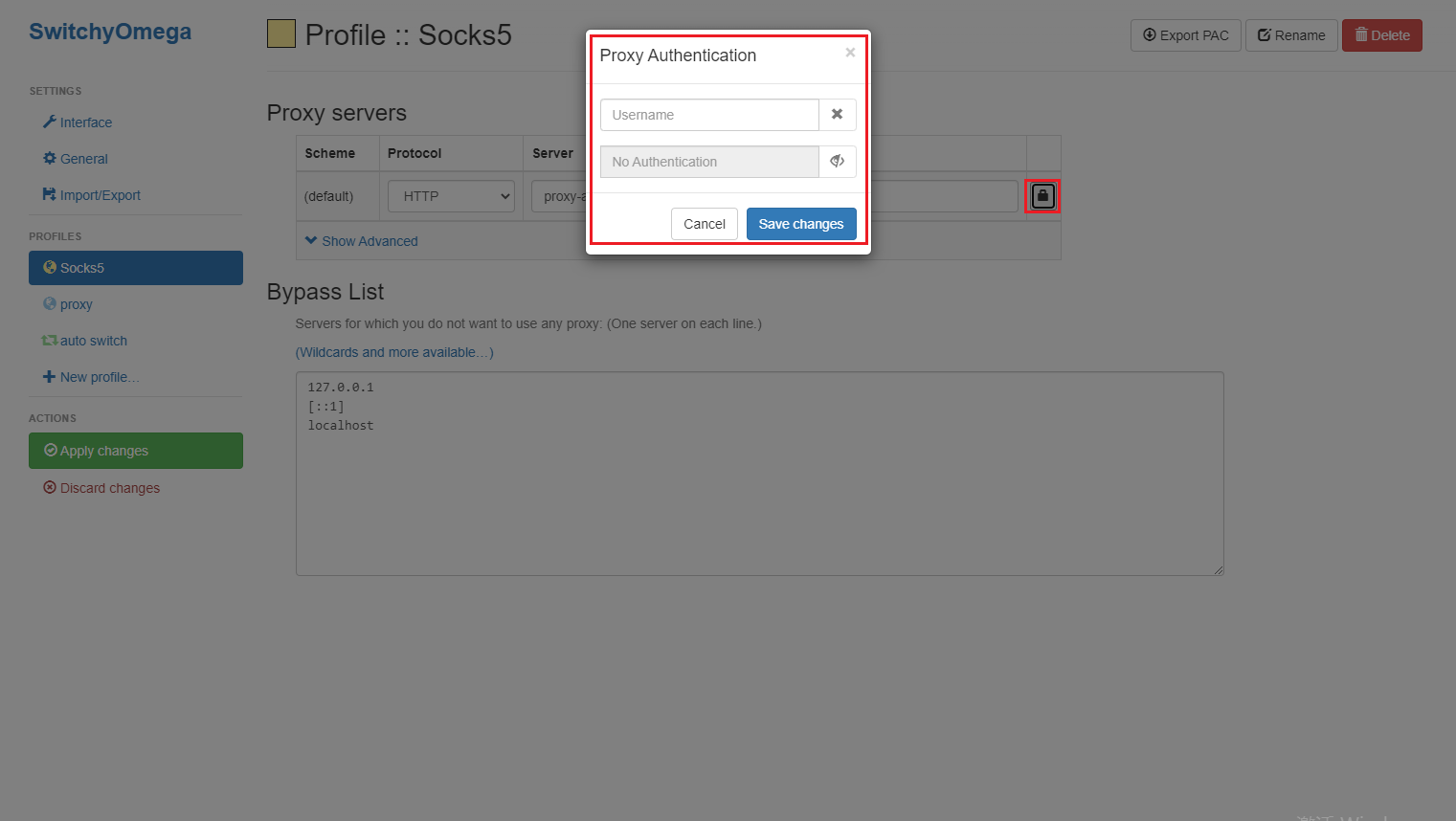
After the proxy information is configured, click the lock icon on the right and enter your Socks5 proxy account and password, then click Save.
8
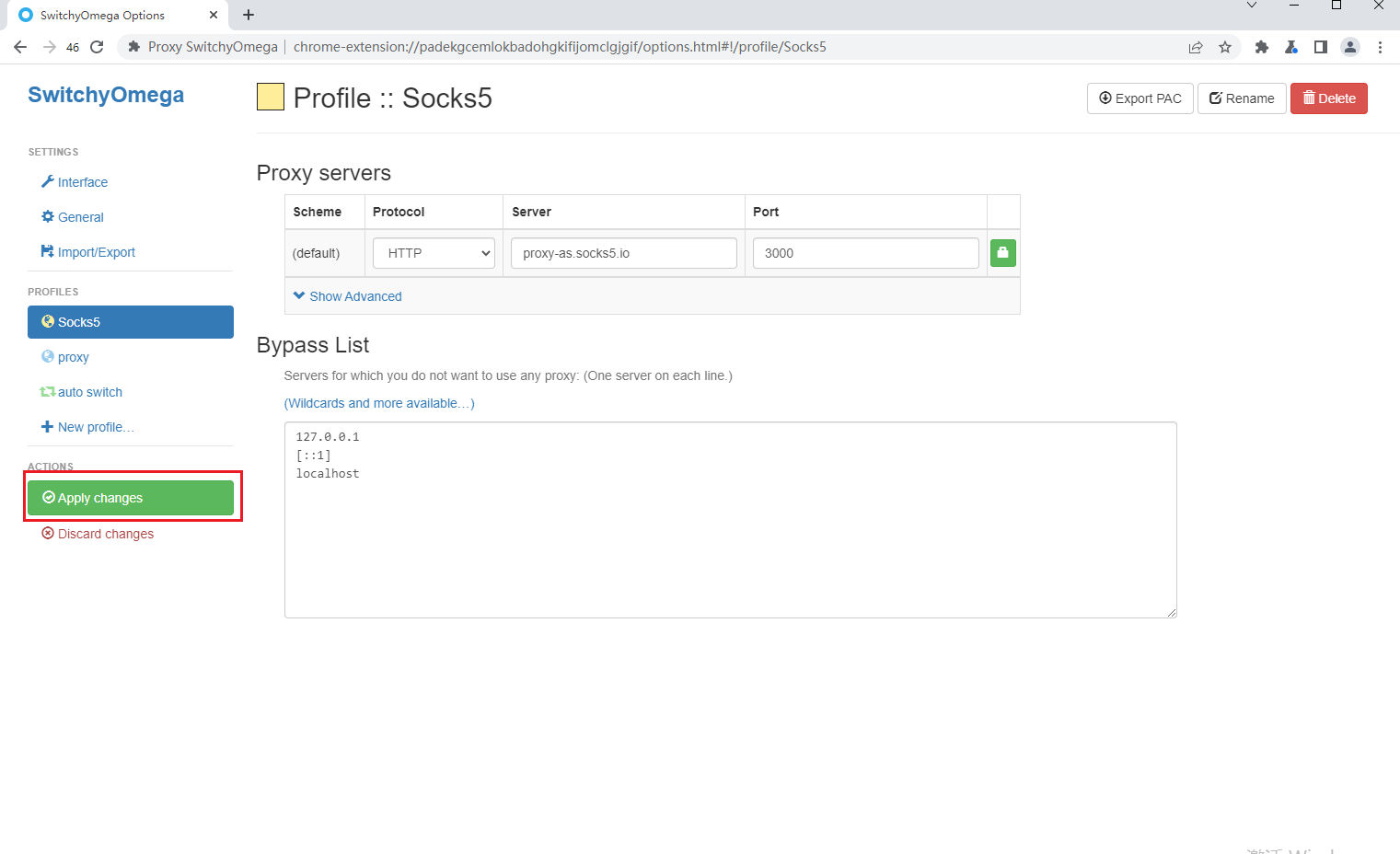
Click "Apply Changes" to complete the configuration
9
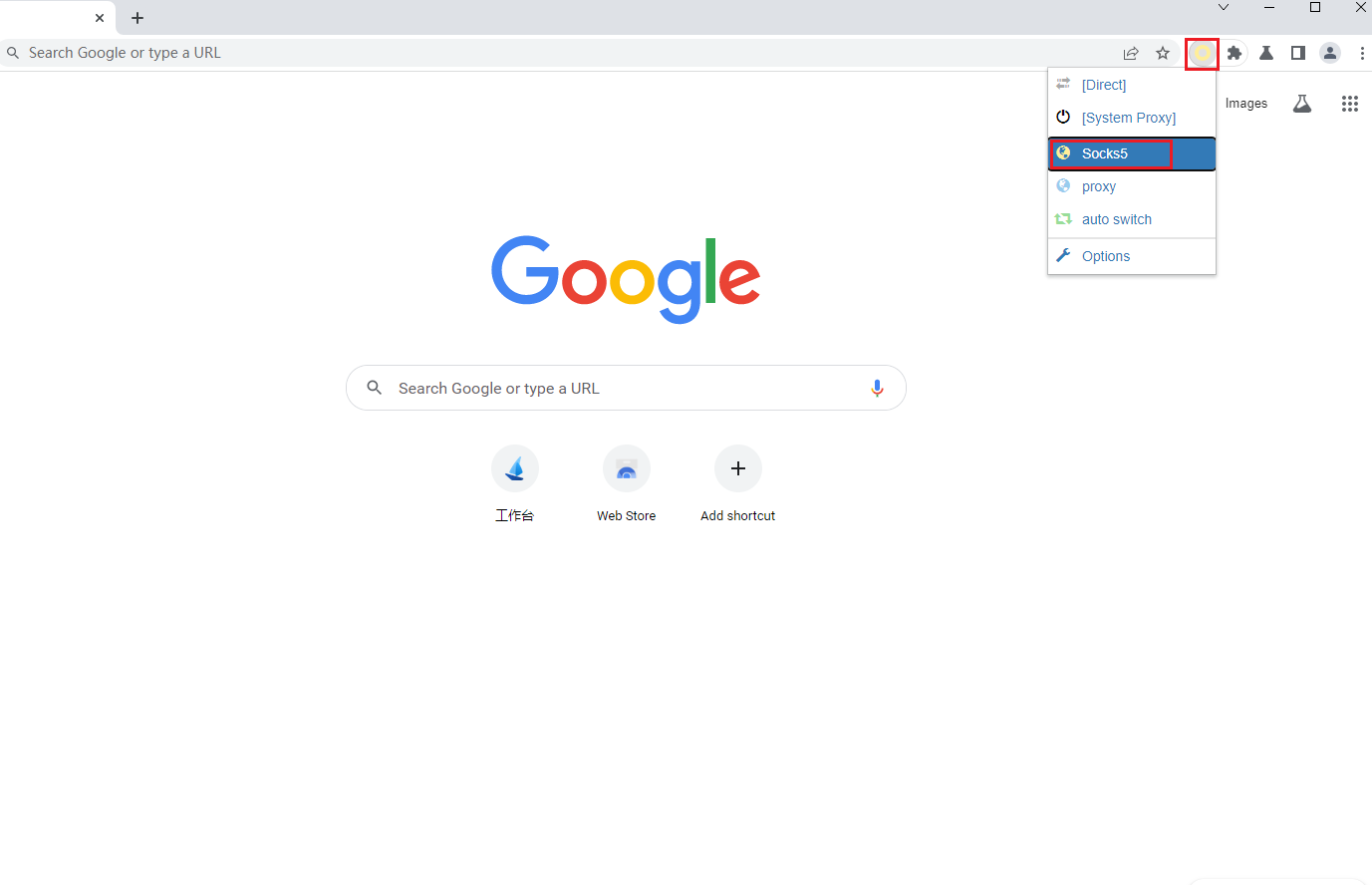
When you need to use it, click the SwitchyOmega icon in the extension in the upper right corner of the browser and click the proxy you configured